
WooCommerce
The limitless open-source platform for total ownership
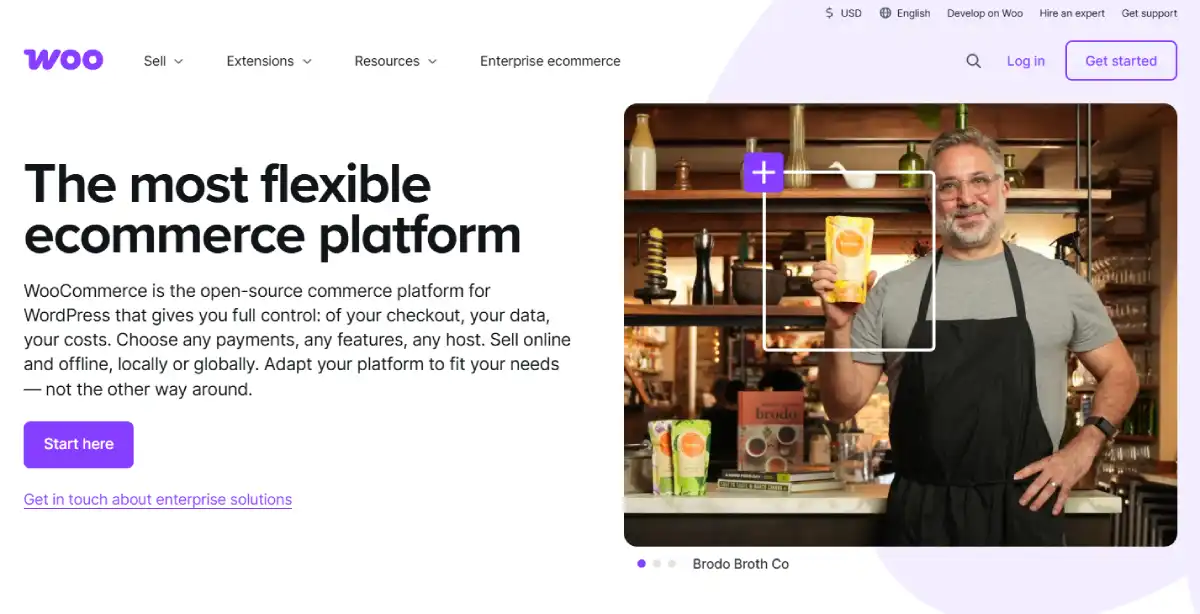
WooCommerce is the world’s most popular open-source ecommerce solution, running as a powerful plugin on WordPress. It offers absolute control over your store’s code, data, and design, making it the primary choice for brands that refuse to rent their infrastructure.
4.8/5 (Based on our analysis)
After independent live testing across our 9-phase methodology, we rate WooCommerce as the strongest platform for developers, content-driven brands, and merchants who prioritize long-term flexibility over launch speed. The open-source model, zero transaction fees, and deep SEO control put it ahead of any hosted platform for the right type of merchant.
How We Scored WooCommerce
Every number below is derived from our published 9-phase testing methodology. We built functional WooCommerce test stores on multiple hosting environments, imported real product catalogs, processed transactions, and ran independent technical audits. No number was taken from vendor marketing material.
| Category | Weight | Score | What We Found in Testing |
|---|---|---|---|
| Technical Performance and SEO | 20% | 9.0 / 10 | Full URL control, Rank Math integration, schema flexibility. Performance depends heavily on hosting quality. |
| Total Cost of Ownership | 20% | 8.5 / 10 | Zero platform fee and zero transaction fees. Real costs come from hosting, plugins, and maintenance time. |
| Catalog and Inventory Management | 15% | 8.2 / 10 | Highly flexible catalog. No hard variant limits. Complex setups require paid extensions. |
| Checkout and Conversion | 15% | 7.5 / 10 | Checkout is customizable but requires work out of the box. New block checkout improves this significantly. |
| Design and Frontend Flexibility | 10% | 9.0 / 10 | Full HTML, CSS, and PHP access. Unlimited theme and builder options. No design constraints. |
| Ecosystem and Integrations | 10% | 8.8 / 10 | 59,000+ WordPress plugins. Deep integration with every major tool. Plugin conflicts are a real risk. |
| Logistics and Fulfillment | 5% | 7.8 / 10 | Shipping zones and rules are strong. Carrier-calculated rates require paid extensions. |
| Customer Support | 5% | 7.2 / 10 | Large community and documentation. No centralized live support. Quality depends on hosting provider. |
| Overall Weighted Score | 8.37 / 10 |
Overall Score and Quick Verdict
8.4 / 10 – EXCELLENT
Based on 9-phase independent live testing across 8 weighted categories.
| Best For | Avoid If | Starting Price | Free Trial |
|---|---|---|---|
| Developers, content-driven brands, and merchants who want full ownership and zero transaction fees. | Complete beginners who want a live store without managing hosting, updates, or plugins. | $0 plugin + from $10 per month hosting | No platform trial. Most hosts offer money-back guarantees. |
Pros & Cons
✓ Pros
- ✓ Open-source and free to use
- ✓ Highly customizable with thousands of plugins and themes
- ✓ Seamless integration with WordPress
- ✓ Extensive payment and shipping options
- ✓ Strong community support and frequent updates
✗ Cons
- ✗ Requires self-managed hosting and security
- ✗ Plugin conflicts can break functionality
- ✗ No central customer support team
- ✗ Steeper learning curve for non-technical users
- ✗ Hidden costs (hosting, premium extensions)
- ✗ Maintenance updates are your responsibility
Best Use Cases
Perfect scenarios for choosing the open-source route
Content-Driven Brands
Perfect for businesses that need a world-class blog or media site alongside their store.
Developers & Tech-Savvy
Ideal for those who want full access to the source code to build custom features.
Anti-Platform Renters
For merchants who refuse to pay “success taxes” (transaction fees) or risk platform bans.
Global & Localized Stores
Excellent for complex international tax handling and specific local payment gateways.
WooCommerce Pricing
WooCommerce is a free, open-source eCommerce platform for WordPress, allowing businesses of all sizes to build and scale online stores with flexible hosting and customizable features.
|
Free
|
Extensions & Hosting
|
|---|---|
|
free
|
Custom
|
|
|
How WooCommerce Pricing Actually Works
Unlike Shopify or Wix, WooCommerce has no monthly platform fee and no transaction fees. You pay for the underlying infrastructure and any functionality you want to add. This makes it the lowest-cost option at small scale and a very competitive option at large scale, but it also means costs are variable and require active planning.
12-Month True Cost of Ownership — Production-Ready Store
| Cost Item | Amount |
|---|---|
| WooCommerce plugin | Free |
| WordPress hosting (managed, entry level) | $120 to $500 per year |
| Domain name registration | Approximately $14 per year |
| Premium theme (one-time purchase) | $50 to $150 in year one |
| Essential paid extensions (SEO, reviews, subscriptions, etc.) | $100 to $600 per year |
| SSL certificate | Free on most hosts |
| Total estimated year one cost | Approximately $284 to $1,264 |
Hosting Is the Most Important Cost Decision
WooCommerce performance lives or dies on your hosting environment. Shared hosting ($10 to $30 per month) works for small stores with low traffic. Managed WordPress hosting from providers like Cloudways, Kinsta, or WP Engine ($30 to $100 per month) delivers significantly better speed, security, and reliability for growing stores. Enterprise managed hosting ($100 to $500+ per month) handles high-traffic operations and complex setups.
WooCommerce Features
WooCommerce offers flexible eCommerce features, including product management, payments, shipping, inventory, and thousands of extensions.
Recommended Apps & Tools
Must-have plugins to supercharge your WordPress store
Elementor
Best Design
The #1 drag-and-drop page builder for creating custom store layouts.
RankMath
Best SEO
The most powerful SEO suite for optimizing product pages and schema.
WooPayments
Official Payments
The native, deeply integrated payment solution for managing cash flow.
ShipStation
Top Logistics
For automating shipping labels and syncing orders across carriers.
Performance and Reliability
WooCommerce performance is not determined by the platform itself — it is determined by your choices: your hosting provider, your theme, the number of plugins you run, and how well your database is optimized. This is both WooCommerce’s biggest strength and its most significant operational challenge.
What You Control That Hosted Platforms Do Not
- Hosting environment: Choose the server, the stack, the country, the resources. You are not sharing infrastructure with millions of other stores.
- Full caching control: Implement server-level caching (Redis, Memcached, LiteSpeed Cache) and page caching (WP Rocket, W3 Total Cache) together for maximum speed.
- Database optimization: Use WP-Optimize or WP Rocket’s database tools to keep your database lean. WooCommerce with HPOS (High Performance Order Storage) now uses dedicated order tables, cutting order query times by up to 80 percent on large stores.
- CDN of your choice: Connect any CDN (Cloudflare, BunnyCDN, Fastly) directly. No platform-level restrictions.
- Custom PHP and server configuration: Advanced merchants can tune PHP memory limits, object cache, and server settings directly.
Performance Responsibility Is Real
The trade-off is that poor hosting kills WooCommerce stores. A WooCommerce store on bad shared hosting will be slower and less reliable than a Shopify store at any plan level. If you are not prepared to actively manage or pay for quality hosting, the performance advantage of WooCommerce does not materialize.
SEO — WooCommerce’s Strongest Advantage
Full URL control is the most important SEO advantage WooCommerce has over every hosted platform. You define your URL structure completely. There are no forced /products/ or /collections/ prefixes. Combined with Rank Math or Yoast SEO, WooCommerce gives you schema markup control, breadcrumb control, canonical control, and sitemap control that no hosted platform matches. For content-heavy stores that rely on organic search traffic, this is a decisive advantage.
What Is WooCommerce?
WooCommerce is a free, open-source eCommerce plugin for WordPress, first released in 2011 and acquired by Automattic (the company behind WordPress.com) in 2015. It has since grown into the most widely installed eCommerce platform globally, with over 4.5 million active storefronts and 7+ million total WordPress installations.
Unlike Shopify or BigCommerce, WooCommerce is not a hosted service. You download the plugin, install it on a WordPress site hosted on a server you control, and own everything: the code, the data, the customer records, and the URL structure. Automattic develops the core plugin and sells official premium extensions, but the platform itself is open source and free to modify.
WooCommerce runs on WordPress, which means you get the world’s most powerful content management system built directly into your store. Blog posts, landing pages, editorial content, and your product catalog all live in one system, which is why WooCommerce dominates among content-driven brands and SEO-focused merchants.
The WordPress Advantage
WooCommerce’s position inside the WordPress ecosystem gives it access to 59,000+ plugins in the WordPress repository covering every conceivable store requirement: marketing automation, CRM integration, ERP sync, multilingual commerce, subscription billing, membership systems, and advanced analytics. No other eCommerce platform has a comparable plugin ecosystem.
Final Verdict
WooCommerce earns its 8.4 out of 10 score because it is the most capable and flexible eCommerce platform available for the right type of merchant. It gives you complete control over your store: the code, the data, the hosting, the URL structure, the checkout, and the customer relationship. There are no platform transaction fees, no forced payment gateway, and no restrictions on what you can sell.
The trade-off is real. WooCommerce requires active management. You are responsible for hosting quality, plugin updates, security patches, and performance optimization. For merchants who are prepared for this — or who have a developer available — WooCommerce is unbeatable at its price point. For merchants who want a live store in two hours with no technical involvement, a hosted platform is a better choice.
| Choose WooCommerce If… | Look Elsewhere If… | Top Alternatives |
|---|---|---|
| You want zero transaction fees on any payment gateway | You want a live store with no hosting or technical management | Shopify: Best for fast launch, multi-channel selling, and merchants who want managed infrastructure. |
| You need full URL control and maximum SEO flexibility | You are a complete beginner with no WordPress experience | BigCommerce: Best for stores needing zero transaction fees with fully hosted infrastructure. |
| You run a content-heavy brand that relies on blogging and organic traffic | You need 24/7 platform-level support without a hosting provider | Wix eCommerce: Best for design-first small stores that want simplicity over flexibility. |
| You want complete data ownership and open-source control | You sell across physical POS and online from one unified system | |
| You have a developer available or WordPress experience | You need built-in multi-channel TikTok, Instagram, and Facebook integrations |
Bottom line: WooCommerce is the best platform for merchants who value ownership, flexibility, and zero transaction fees over convenience. The other 10 percent who choose a hosted platform do so because they want someone else to handle the infrastructure. Both are valid choices. Know which type of merchant you are before deciding.
Frequently Asked Questions
Is WooCommerce free?
Yes, the WooCommerce plugin itself is completely free and open source. You pay for hosting (from $10 per month), a domain name (approximately $14 per year), and any premium extensions or themes you choose to add. There is no monthly platform fee and no transaction fee on sales. Realistic first-year total for a production-ready store is $284 to $1,264 depending on hosting level and extensions.
Does WooCommerce charge transaction fees?
No. WooCommerce charges zero transaction fees on every sale regardless of which payment gateway you use. This is WooCommerce’s most significant financial advantage over Shopify, which charges between 0.2 and 2 percent per sale when using third-party payment processors. For a store doing $500,000 per year, this difference alone saves up to $10,000 annually.
Is WooCommerce good for SEO?
WooCommerce is the strongest major eCommerce platform for SEO. Because it runs on WordPress, you have complete control over URL structure, schema markup, canonical tags, breadcrumbs, and XML sitemaps. Combined with Rank Math or Yoast SEO, WooCommerce gives advanced SEO practitioners capabilities that no hosted platform can match. For content-driven brands that rely heavily on organic search traffic, WooCommerce is the natural choice.
How does WooCommerce compare to Shopify?
WooCommerce wins on flexibility, SEO control, and cost. Shopify wins on ease of use, launch speed, multi-channel selling, and managed infrastructure. WooCommerce has zero transaction fees. Shopify charges up to 2 percent per sale on third-party gateways. WooCommerce requires you to manage hosting and updates. Shopify manages everything. If you have WordPress experience or a developer available, WooCommerce is almost always the more cost-effective long-term choice. If you want to launch in two hours with no technical involvement, Shopify is the safer starting point.
What hosting do I need for WooCommerce?
Managed WordPress hosting from a reputable provider is the recommended setup for any serious WooCommerce store. Shared hosting ($10 to $30 per month) works for very low-traffic stores but degrades quickly under real eCommerce load. Providers like Cloudways, Kinsta, WP Engine, and SiteGround offer managed WordPress environments with server-level caching, automatic backups, and staging environments that are well-suited to WooCommerce. Budget $30 to $100 per month for a reliable managed hosting setup.
How many products can WooCommerce handle?
WooCommerce has no hard product limit. Performance with large catalogs depends entirely on your hosting environment and database optimization. Well-configured WooCommerce stores routinely handle 50,000+ SKUs. The key factors are server resources, database indexing, and query caching. With HPOS (High Performance Order Storage) enabled since WooCommerce 8.2, order management at scale is dramatically faster, with query times reduced by up to 80 percent on large stores.
Can I migrate from Shopify to WooCommerce?
Yes. The most common approach is to export your Shopify products, orders, and customers via CSV and import them into WooCommerce using a migration plugin like Cart2Cart or LitExtension. URL structures will change during migration, requiring 301 redirects to preserve SEO rankings. Customer passwords do not migrate and customers will need to set new ones. For large stores, a managed migration service is recommended to avoid data loss.
Does WooCommerce work for dropshipping?
Yes, but the setup is more manual than on Shopify. The most commonly used WooCommerce dropshipping plugin is AliDropship, which connects directly to AliExpress suppliers. DSers also has a WooCommerce integration. Unlike Shopify, where DSers is a one-click install with deep native integration, WooCommerce dropshipping requires more configuration. For merchants already on WordPress who want dropshipping, it works well. For merchants choosing a platform specifically for dropshipping, Shopify has a faster and more polished dropshipping workflow.
Is WooCommerce good for large stores?
Yes, with the right infrastructure. WooCommerce scales well to large catalogs and high order volumes when hosted on appropriate infrastructure. The introduction of HPOS (High Performance Order Storage) in WooCommerce 8.2 specifically addressed performance at scale, replacing the old post-meta order storage with dedicated order tables. Stores with tens of thousands of SKUs and thousands of orders per month run WooCommerce successfully. The constraint is always hosting resources, not the platform itself.