
Webflow
The professional visual development platform for designers
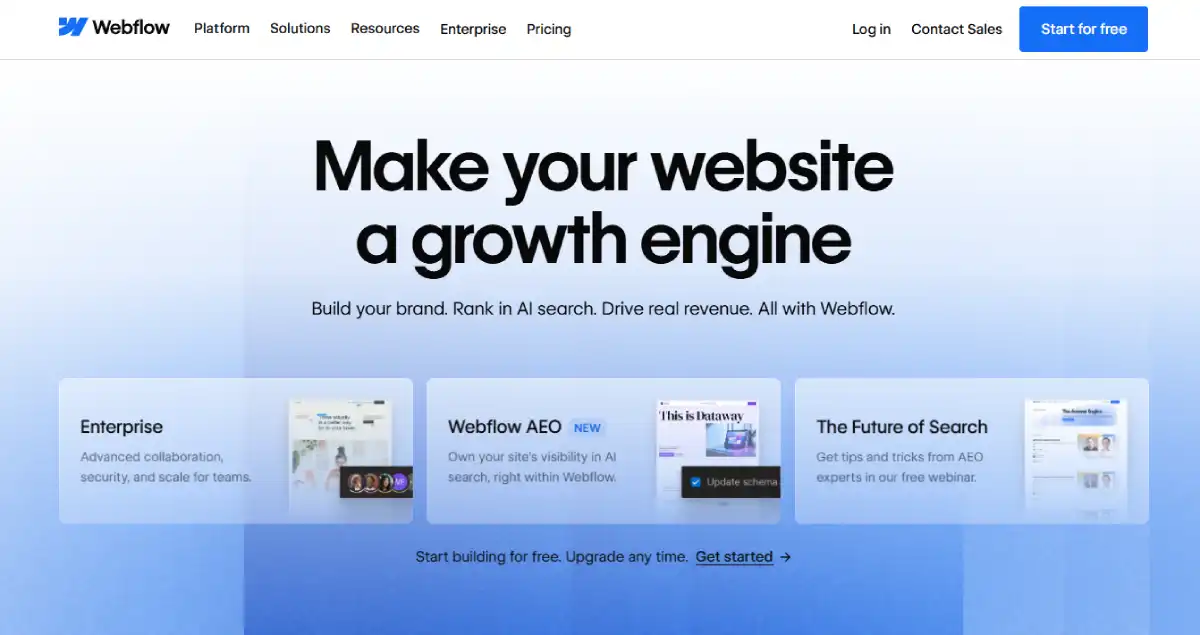
Webflow is a “no-code” tool that writes clean, semantic HTML, CSS, and JavaScript while you design visually. It is the gold standard for designers and agencies who want to build award-winning custom storefronts without relying on templates or developers.
4.6/5 (Based on our analysis)
How We Scored Webflow
Every number below is derived from our published 9-phase testing methodology. We signed up as real Webflow customers, built functional test sites and a test storefront, processed transactions, and ran independent technical audits. No number was taken from vendor marketing material.
| Category | Weight | Score | What We Found in Testing |
|---|---|---|---|
| Technical Performance and SEO | 20% | 9.0 / 10 | Clean, semantic HTML output. No plugin bloat. Strong Core Web Vitals out of the box, with custom code embeds the main risk. |
| Total Cost of Ownership | 20% | 6.8 / 10 | Site plan and Workspace seat costs stack quickly. Ecommerce Standard plan adds a 2 percent transaction fee on top. |
| Catalog and Inventory Management | 15% | 6.5 / 10 | 500 to 15,000 products depending on tier. Built for design-led catalogs, not massive SKU counts. |
| Checkout and Conversion | 15% | 7.0 / 10 | Fully custom checkout design. Fewer native conversion tools than Shopify out of the box. |
| Design and Frontend Flexibility | 10% | 9.8 / 10 | The strongest visual control of any hosted platform. CSS-level precision with no coding required. |
| Ecosystem and Integrations | 10% | 6.5 / 10 | Growing app marketplace, but far smaller than Shopify or WordPress. Strong native CMS more than makes up for it on content sites. |
| Logistics and Fulfillment | 5% | 6.0 / 10 | Basic shipping and tax tools. Complex fulfillment logic generally needs a third-party integration. |
| Customer Support | 5% | 7.0 / 10 | Solid documentation and community. No phone support on self-serve plans. |
| Overall Weighted Score | 7.62 / 10 |
Overall Score and Our Quick Verdict
| Best For | Avoid If | Starting Price | Free Trial |
|---|---|---|---|
| Designers, agencies, and marketing teams who want pixel-level control and clean code without hand-coding. | High-SKU ecommerce stores or merchants who want the lowest possible platform cost. | Free to build and preview, from $15 per month to publish, from $29 per month to sell | Free Starter plan with no time limit. No trial on paid Site plans. |
Pros & Cons
✓ Pros
- ✓ Visual editor outputs real, clean, semantic code
- ✓ Best-in-class design and layout control of any hosted builder
- ✓ Strong Core Web Vitals performance out of the box
- ✓ Native CMS handles complex, structured content well
- ✓ No plugin conflicts since there is no third-party plugin layer
- ✓ Built-in AI tools for generating layout, copy, and code
✗ Cons
- ✗ Ecommerce Standard plan carries a 2 percent transaction fee
- ✗ Site plan and Workspace seat costs stack up for teams
- ✗ Steeper learning curve than Wix or Squarespace for true beginners
- ✗ Smaller app ecosystem than Shopify or WordPress
- ✗ Product catalog limits are lower than dedicated ecommerce platforms
- ✗ No phone support on self-serve plans
Best Use Cases
Ideal projects for visual developers and design agencies
Design-First Agencies
The #1 choice for freelancers and agencies building bespoke websites for high-end clients.
Experience-Led Brands
Perfect for stores that rely on “Scrollytelling,” 3D interactions, and immersive narratives.
Boutique Retail
Ideal for selling a curated selection of products where presentation matters more than volume.
SaaS & Tech Startups
Excellent for companies needing a powerful marketing site with a lightweight checkout attached.
Webflow Pricing
Webflow splits pricing into two layers: a Site plan that covers hosting, CMS, and bandwidth, and a separate Workspace plan that covers collaboration seats. Selling products requires an Ecommerce Site plan instead of a standard one.
|
Starter
|
Basic
|
Premium
|
Team
|
Enterprise
|
|---|---|---|---|---|
|
Free
|
$15/mo
billed yearly
|
$25/mo
billed yearly
|
Free
|
Free
|
|
|
|
|
|
How Webflow Pricing Actually Works
Webflow’s Site plans were restructured in May 2026, consolidating the old CMS and Business tiers into a single Premium plan.
The Starter plan is free and publishes only to a webflow.io subdomain.
Basic and Premium are for sites that do not sell products. Selling anything requires one of the three Ecommerce plans instead.
On the Ecommerce Standard plan, Webflow charges a 2 percent transaction fee on every sale on top of standard Stripe or PayPal processing fees. Upgrading to Plus or Advanced removes that fee entirely, which usually pays for itself once monthly sales pass roughly $2,250 to $3,700.
12-Month True Cost of Ownership on the Ecommerce Standard Plan
| Cost Item | Amount |
|---|---|
| Ecommerce Standard plan at annual billing | $348 per year ($29 per month) |
| Workspace seat (1 Full Seat) | $468 per year ($39 per month) |
| Custom domain name registration | Approximately $14 per year |
| Webflow transaction fee (2 percent) | Varies based on monthly sales volume |
| Card processing fees (Stripe or PayPal) | Varies based on monthly sales volume |
| Total estimated cost for year one before transaction and card fees | Approximately $830 |
Webflow Features
Webflow’s plans share the same visual editor, but CMS capacity, ecommerce tools, and team collaboration expand significantly as you move up. The table below shows what changes at each level.
Recommended Apps & Tools
Essential apps to power up your Shopify storefront
Webflow Optimize
A/B Testing
Native experimentation tool for testing layout and copy variants on live traffic.
Memberstack
User Accounts
The most common way to add login, gated content, and memberships to a Webflow site.
Finsweet Attributes
No-Code Logic
Free utility library that adds filtering, sorting, and CMS logic without custom code.
Not sure if this is the right fit? Compare Webflow with Wix, Shopify, and other top website and ecommerce platforms side-by-side to see pricing, features, and long-term costs before making your final decision.




Performance and Reliability
Webflow’s biggest structural advantage is what it does not have: a plugin layer. Every Webflow site is built from the same clean, semantic HTML and CSS foundation, so there is no theme bloat or plugin conflict dragging down page speed.
What Webflow Manages For You Automatically
Clean code output: The visual editor generates lean, semantic HTML and CSS rather than the bloated markup common with drag-and-drop page builders.
Global CDN delivery: Every published site is served through a global content delivery network by default.
Automatic image optimization: Images uploaded through the Designer are automatically converted to WebP, resized for different viewports, and served through the CDN.
SSL certificate: Included and auto-renewed on every plan, free and paid, at no additional cost.
Hosting and uptime: Webflow manages servers and infrastructure, so there is no separate hosting provider to choose or maintain.
The Trade-Off
Webflow’s clean output only stays clean if you keep it that way. Heavy custom code embeds, unnecessary third-party scripts, and complex animations are the most common causes of a slow Webflow site, and they bypass Webflow’s own optimization pipeline.
According to Webflow’s own technical SEO guidance, referenced by SEO agency Involve Digital, images served externally through custom HTML embeds skip Webflow’s automatic WebP conversion and must be optimized manually.
SEO on Webflow
Webflow handles core technical SEO well by default. SSL, XML sitemaps, canonical tags, and 301 redirects are all manageable directly inside the Designer with no third-party plugin needed. Because there is no plugin ecosystem to introduce conflicts, SEO teams can make changes without worrying about compatibility breaking the site, a real and recurring issue on WordPress.
The platform’s clean code output also gives it a structural edge on Core Web Vitals, since there is no theme or plugin overhead to strip away before optimizing. The trade-off is that advanced on-page SEO work, like custom schema or programmatic page generation, often needs Finsweet Attributes or custom code rather than a one-click plugin.
What Is Webflow?
Webflow is a visual web development platform founded in 2013 and headquartered in San Francisco. It lets designers build production-grade websites using a visual canvas that maps directly to real CSS properties like flexbox and grid, rather than abstracting design into a simplified theme system. The output is the same clean HTML a developer would write by hand.
Unlike Wix or Squarespace, Webflow is positioned as a tool for people who think in terms of real web design, not just templates. Unlike WordPress, there is no plugin ecosystem and no self-hosting requirement. Webflow hosts every site on its own infrastructure, similar to Wix, but gives users CSS-level control over every element, similar to hand-coding.
The AI and No-Code Layer
Webflow introduced AI credits across all Workspace plans in 2026, powering built-in tools that generate and edit layouts, copy, and code directly inside the Designer. For non-developers needing logic beyond what the visual editor covers, third-party tools like Finsweet Attributes add filtering, sorting, and CMS-driven behavior without writing custom JavaScript.
Final Verdict
Webflow earns its 7.6 out of 10 score because it solves a problem no other hosted platform fully solves: real design control without real code, and real code without a developer. The visual editor maps directly to CSS, the output is clean and fast by default, and the native CMS handles structured content better than a typical page builder.
The trade-off is cost and complexity. Site plans, Workspace seats, and Ecommerce add-ons stack up faster than a single flat subscription, and the learning curve is steeper than Wix or Squarespace for someone who has never thought about web design in terms of boxes, flex, and grid.
For design-led marketing sites and content-heavy brands, Webflow is hard to beat. For high-SKU ecommerce or merchants who want the lowest possible monthly cost, a dedicated ecommerce platform fits better.
| Choose Webflow If… | Look Elsewhere If… | Top Alternatives |
|---|---|---|
| You want full visual design control without writing code | You run a large catalog with thousands of SKUs | Shopify: Best for fast-launch ecommerce with strong multi-channel selling and the largest app ecosystem. |
| You need a real CMS for content-heavy marketing sites | You want the lowest possible monthly platform cost | Wix: Best for beginners who want an AI builder and a simple all-in-one dashboard. |
| You are a designer or agency building client sites | You need deep native ecommerce tools out of the box | WooCommerce: Best for full ownership, zero transaction fees, and deep SEO control through WordPress. |
| You want clean, fast code with no plugin conflicts | You want phone support included on your plan |
Bottom line: Webflow is the best platform for people who care about design as much as function and want that design rendered in clean, fast code. The trade-off is paying more and learning more than you would on a simpler builder.
We recommend Webflow if:
- You want full visual control over design without writing code by hand.
- You run a content-heavy marketing site that needs a real CMS.
- You are a designer or agency building polished client websites.
Look elsewhere if:
- You run a large ecommerce catalog with thousands of products.
- You want the lowest possible monthly cost with no seat-based pricing.
- You need phone support included without an Enterprise contract.
Frequently Asked Questions
Is Webflow free?
Webflow offers a free Starter plan with no time limit for building and testing a site on a webflow.io subdomain. Publishing to a custom domain requires a paid Site plan starting at $15 per month, or $29 per month to sell products.
Does Webflow charge transaction fees?
Yes, on one plan. The Ecommerce Standard plan charges a 2 percent transaction fee on every sale, on top of standard Stripe or PayPal processing fees. The Ecommerce Plus and Advanced plans charge 0 percent, which typically pays for itself once monthly sales pass roughly $2,250 to $3,700.
Is Webflow good for SEO?
Yes. Webflow generates clean, semantic HTML with no plugin bloat, and includes SSL, XML sitemaps, canonical tags, and redirect management by default. This gives it a strong technical foundation for Core Web Vitals, though advanced schema or programmatic SEO usually needs a tool like Finsweet Attributes or custom code.
How does Webflow compare to Wix?
Webflow gives far more precise design control since the editor maps directly to CSS, while Wix is faster to learn and includes an AI builder for a quick first draft. Wix is the simpler choice for beginners. Webflow is the stronger choice for designers and agencies who want pixel-level control and clean code output.
How does Webflow compare to Shopify?
Shopify is built specifically for ecommerce at scale, with a much larger app ecosystem and deeper native commerce tools. Webflow wins on design flexibility and content management. For a large product catalog or complex fulfillment needs, Shopify is the stronger foundation. For a design-led store with a smaller catalog, Webflow competes well.
What is the Webflow CMS?
The Webflow CMS is a built-in structured content system that lets you create custom content types, called Collections, and design templates for them visually. It is commonly used for blogs, team directories, case studies, and any content that repeats across many pages with the same structure.
How many products can Webflow handle?
Webflow’s Ecommerce plans support up to 500 products on Standard, 5,000 on Plus, and 15,000 on Advanced. This covers small to mid-size catalogs well, but very large catalogs are generally better served by Shopify or WooCommerce.
Does Webflow require coding knowledge?
No coding is required to use the visual Designer, since every property maps to a visual control. That said, Webflow has a steeper learning curve than simpler builders like Wix, since it expects users to understand concepts like flexbox, grid, and CSS classes rather than hiding them behind a simplified theme system.
What is the Webflow Team plan?
The Team plan, introduced in 2026, sits between self-serve plans and a full Enterprise contract. It bundles a Site plan, a Workspace with multiple seats, Localization, and advanced publishing workflows for organizations that have outgrown individual plans but do not need a custom Enterprise deal.
Can I migrate my site from WordPress or Squarespace to Webflow?
There is no fully automated one-click migration for either platform. Most migrations involve manually rebuilding pages in the Webflow Designer and using a CMS import tool or CSV upload for blog posts and structured content. URL structures usually change, so 301 redirects are needed to preserve search rankings.