
Cratejoy charges two actually different rates depending on where your subscribers come from. Storefront-only orders, subscribers who found you through your own marketing, cost 1.25 percent plus 10 cents per transaction, close to what you would pay running Shopify with a subscription app.
Marketplace-originated orders, subscribers who found you through Cratejoy’s own marketplace, carry a combined rate roughly 11 points higher.
At real scale, the exact cost depends on your subscriber count, average order value, and how much of your growth still comes from the marketplace, but for an established box doing meaningful marketplace-driven revenue, that 11-point gap can add up to tens of thousands of dollars a year in fees a storefront-first model would not carry.
That distinction rarely shows up clearly in comparisons, and it changes which platform actually makes sense for your specific situation.
This guide compares Cratejoy, Shopify paired with a subscription app like ReCharge, and WooCommerce paired with WooCommerce Subscriptions, on cost, feature depth, and what each one actually takes to run.
Key Takeaways
- Cratejoy’s actual cost depends completely on your traffic source. Storefront-only is competitive with Shopify plus a subscription app, marketplace-originated orders cost meaningfully more and create dependency risk as you scale.
- Shopify does not include subscription billing natively at a meaningful level, a dedicated app, ReCharge, Bold Subscriptions, or Appstle, is a required add-on cost on top of your plan.
- WooCommerce Subscriptions demands more setup and ongoing maintenance than either alternative, hosting, security, and plugin compatibility all become your responsibility, in exchange for the deepest customization of the three.
- Platform and app costs are rarely the biggest expense. Total startup costs for a subscription box business typically run $2,000 to $10,000, driven mostly by product sourcing, packaging, and shipping, not software.
- Flexible skip and pause options are widely reported to reduce churn. Subscribers who pause are commonly retained at higher rates than subscribers with no pause option at all, an actually counterintuitive retention lever worth building in from day one.
Quick Comparison
| Platform | Best For | Biggest Drawback |
|---|---|---|
| Cratejoy | New sellers needing discovery without existing traffic | Marketplace fees run roughly 11 points higher than storefront-only |
| Shopify plus a subscription app | Sellers with an existing audience who want to own the relationship from day one | A separate, recurring app cost on top of the plan itself |
| WooCommerce plus WooCommerce Subscriptions | Maximum customization for complex billing or a unique box-building experience | Hosting, security, and plugin maintenance all become your responsibility |
Cratejoy vs Shopify Plus ReCharge vs WooCommerce Subscriptions
Cratejoy
Cratejoy is purpose-built for subscription boxes specifically. Recurring billing, renewal handling, and a subscriber-facing marketplace are all included rather than bolted on.
Its biggest advantage in the early stage is discovery, marketplace exposure brings buyers who already intend to purchase a box, without you having to build that traffic yourself first.
The cost structure has two distinct tiers:
- Storefront-only orders run 1.25 percent plus 10 cents per transaction, competitive with running Shopify Basic plus a subscription app
- Marketplace-originated orders carry a combined rate roughly 11 points higher, since Cratejoy is doing actual acquisition work for you on those specific orders
- The tradeoff is ownership; marketplace subscribers are Cratejoy’s relationship first, yours second. Migrating them out later takes real effort
Cratejoy defaults to monthly billing, with an Advanced Rebilling option available for weekly, biweekly, bimonthly, quarterly, or custom anniversary-date billing if your box needs a different cadence.
Shopify Plus a Subscription App
Shopify’s own subscription support is limited without a dedicated app. ReCharge, Bold Subscriptions, and Appstle are the three most commonly used.
What this actually costs:
- A recurring app cost on top of your Shopify plan, commonly $10 to $100 a month depending on the app and your subscriber volume
- Shopify Basic itself runs roughly $39 a month
- Checkout customization specifically is limited below Shopify Plus, at $2,300 a month, a genuine ceiling worth knowing if deep checkout control matters to your specific box; for most subscription businesses this limitation never actually becomes relevant. Standard checkout covers a typical box subscription well
What you get in return:
- Shopify’s broader commerce ecosystem, the largest app store of the major platforms
- Extensive marketing and checkout integrations
- Full ownership of your subscriber data and brand from day one, no marketplace intermediary involved
WooCommerce Plus WooCommerce Subscriptions
WooCommerce Subscriptions requires ongoing work Shopify and Cratejoy both absorb for you.
What becomes your responsibility:
- Hosting
- Security
- Plugin compatibility
- Failed renewal payments, since you are managing the gateway relationship directly rather than a vendor handling retries and dunning for you
- Ongoing plugin updates: WooCommerce core, the Subscriptions extension, and your payment gateway plugin all need to stay compatible with each other as each one updates independently
What you get in exchange is the deepest customization of the three, complex billing models, unique build-a-box experiences, and subscription workflows a general-purpose app cannot easily replicate.
This is the right fit specifically if you have developer access and want maximum control over the subscriber experience, not the default choice for a first-time subscription box seller wanting the fastest path to a working store.
The Real Cost Beyond the Platform
Platform and subscription app costs matter, but they are rarely the largest line item in a subscription box budget.
Total startup costs typically run $2,000 to $10,000 depending on your product category and marketing approach, with product sourcing, packaging, and shipping making up the bulk of that range, not software. Budget accordingly rather than assuming platform choice is your primary cost lever.
Reducing Churn From the Start
- Offer flexible skip and pause options. Subscribers who pause are commonly reported to stay subscribed longer than subscribers with no pause option available, this is a genuine retention lever, not just a customer convenience feature
- Build cancellation flow interventions. Offer a concrete alternative, a pause, a downgrade, a different box frequency, at the moment someone tries to cancel, rather than letting them leave with no offer at all
- Send personalized email campaigns tied to actual subscriber behavior, a box someone has not engaged with recently is an early churn signal worth acting on before the next billing cycle
Migrating From Cratejoy to Shopify, If You Need To
This is a common path once marketplace dependency starts costing more than it delivers.
- Set up your Shopify store and install your chosen subscription app
- Import your storefront-only subscriber data first, this relationship is already yours and transfers cleanly
- If your payment provider supports secure payment-method migration, work with both platforms to transfer stored payment credentials where possible rather than requiring subscribers to re-enter them, this depends on your specific provider and platform support, confirm it directly rather than assuming it applies to your setup
- For marketplace-originated subscribers specifically, plan a deliberate communication sequence, a pre-announcement email, transition emails, and a re-opt-in step, since this relationship technically belongs to Cratejoy first
- Budget 2 to 4 weeks for a storefront-only migration, 4 to 6 weeks if marketplace subscribers are involved, the technical setup itself is the fast part, subscriber communication is what takes real time
Which Platform Actually Fits Your Situation
- Just starting, no existing audience: Cratejoy, its marketplace gives you discovery you would otherwise have to build from zero
- Already have an audience or existing store traffic: Shopify plus a subscription app, you are not paying for discovery you do not need, and you own the relationship from day one
- Need a highly customized billing model or unique box-building experience: WooCommerce Subscriptions, worth the added setup complexity specifically when a general-purpose app cannot replicate what your box needs
- Scaling past meaningful marketplace-driven revenue on Cratejoy: start planning a Shopify migration before marketplace fees become an ongoing tax on your margin, not after
Setting Up on Shopify With a Subscription App

Step 1: Choose Your App
- Shopify’s own free native app, Shopify Subscriptions, is the simplest starting point for a beginner with simple billing needs
- For more advanced features, dynamic bundles, no-code customer portals, tiered discounts, ReCharge is the most established third-party option, Bold Subscriptions and Appstle are real alternatives worth comparing directly
Step 2: Install and Complete Onboarding
- Go to the Shopify App Store, search for your chosen app, and click Add app to install it
- If using ReCharge specifically, the app launches directly from your Shopify admin once installed, complete your store details and click Continue to begin the in-app onboarding
- During onboarding, add at least one active Shopify product to bring into the app as a subscription, and follow the prompts to install the subscription widget on your store’s current theme
Step 3: Publish the Subscription Widget
- In your Shopify admin, go to Online Store, then click Customize next to your active theme
- Use the page selector at the top of the editor to switch to a Product template
- Add your subscription app’s block to the product template through the Theme Editor, then position it where you want it to appear on the page
- Click Save, then repeat for any additional product templates your store uses
Step 4: Configure Pricing and Payments
- Set your subscription intervals, weekly, monthly, or whatever cadence fits your box, and any subscribe-and-save discount incentives
- Confirm your payment gateway supports recurring billing, Shopify Payments, Stripe, and PayPal are all commonly supported depending on your chosen app
Step 5: Test Before Launch
- Preview the subscription option directly on a live product page to confirm the widget displays correctly
- Place a real test order and confirm the subscription is created correctly, then confirm the next renewal date is scheduled as expected before inviting real customers
Setting Up on WooCommerce With WooCommerce Subscriptions
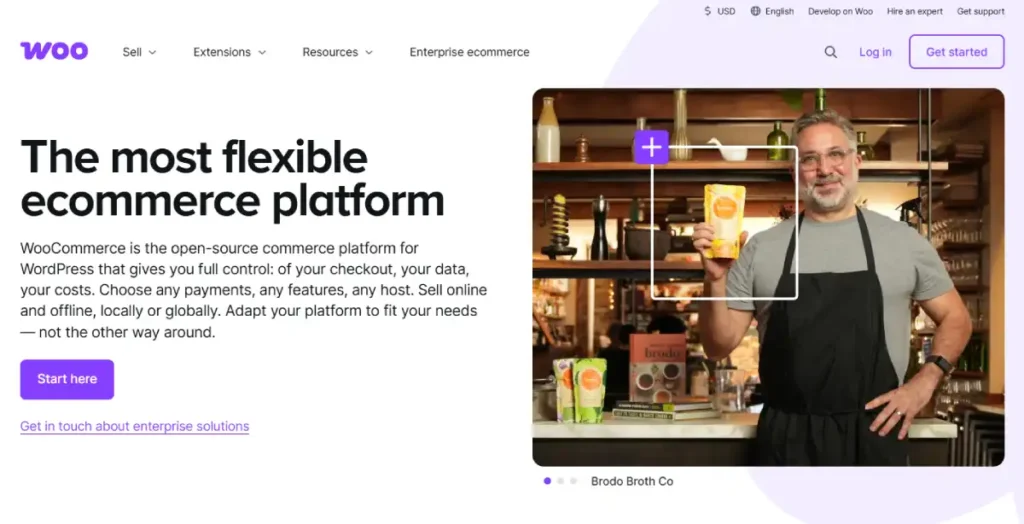
Step 1: Purchase and Install the Extension
- Purchase WooCommerce Subscriptions directly from WooCommerce.com, choosing a one-year or two-year plan and completing your billing details. This works regardless of whether you found the extension through your WordPress dashboard or WooCommerce.com directly
- Download the extension as a ZIP file once purchased
- In your WordPress dashboard, go to Plugins, then Add New, then Upload Plugin, choose the ZIP file, click Install Now, then Activate
Step 2: Configure General Subscription Settings
- Go to WooCommerce, then Settings, then Subscriptions
- Customize your Add to Cart and Place Order button text, assign default user roles for active and inactive subscribers, and choose between manual and automatic renewals
- Enable switching if you want customers to upgrade or downgrade their own subscription without contacting you directly
Step 3: Create Your Subscription Product
- Go to Products, then Add New
- In the Product Data dropdown, select Simple subscription, or connect an existing simple or variable product to a subscription if you are converting a current listing
- Set your subscription price, billing period, day, week, month, or year, and billing interval
- Add a free trial period if you want one, and a sign-up fee if applicable, note that a sign-up fee always charges at the start of the subscription, even alongside a free trial, not deferred to the first recurring payment
- Write a clear description stating this is a recurring subscription, not a one-time purchase, avoiding real customer confusion at checkout
- Click Publish
Step 4: Connect a Payment Gateway That Supports Recurring Billing
- Install and activate a compatible gateway extension, WooCommerce Subscriptions integrates with more than 25 payment gateways, Stripe and PayPal are the most commonly used
- Go to WooCommerce, then Settings, then Payments
- Confirm your gateway is enabled and that its recurring payments option is checked, not every gateway supports this, verify before assuming automatic renewals will work
Step 5: Test a Full Subscription Cycle
- Use your gateway’s sandbox or test mode to create a real test subscription
- Confirm the order is created, the subscription appears correctly in WooCommerce, and the next renewal date is scheduled as expected, this often happens within minutes in test mode, confirm it before launching to real customers
Before You Launch, Regardless of Platform
Whichever setup path you followed, confirm the same core things before opening to real customers:
- Place at least one real test order or subscription signup
- Verify payment processing actually completes correctly
- Confirm confirmation emails and customer notifications arrive
- Confirm the renewal is scheduled correctly for the next billing cycle
- Confirm fulfillment, whatever triggers your team or supplier to actually pack and ship the box, works from that test order
FAQ for Starting a Subscription Box Business
Is Cratejoy or Shopify better for a new subscription box?
It depends on whether you already have an audience. Cratejoy’s marketplace gives new sellers discovery without existing traffic, Shopify plus a subscription app suits sellers who already have an audience and want to own the subscriber relationship from the start.
Why does Cratejoy pricing vary so much between sources?
Because Cratejoy has two distinct fee structures. Storefront-only orders run 1.25 percent plus 10 cents per transaction, marketplace-originated orders carry a combined rate roughly 11 points higher, comparisons that quote one number without specifying which are incomplete.
How much does subscription billing actually cost on Shopify?
Shopify Basic runs around $39 a month, with a subscription app like ReCharge adding roughly $10 to $100 a month depending on your subscriber volume and chosen app.
Is WooCommerce Subscriptions harder to run than Shopify or Cratejoy?
Yes, it requires managing hosting, security, and plugin compatibility yourself, genuine ongoing work neither Shopify nor Cratejoy requires. The tradeoff is the deepest customization of the three, worth it specifically for complex billing models a general app cannot replicate.
What actually reduces subscription box churn?
Flexible skip and pause options are widely reported to help, subscribers who pause commonly stay subscribed longer than subscribers with no pause option available. Cancellation flow interventions and behavior-based email campaigns are the other two commonly used levers.
How long does migrating from Cratejoy to Shopify take?
Roughly 2 to 4 weeks for storefront-only subscribers, 4 to 6 weeks if marketplace subscribers are involved. The technical setup itself takes about 1 to 2 weeks, the remaining time goes to subscriber communication and re-opt-in for marketplace-originated subscribers specifically.