
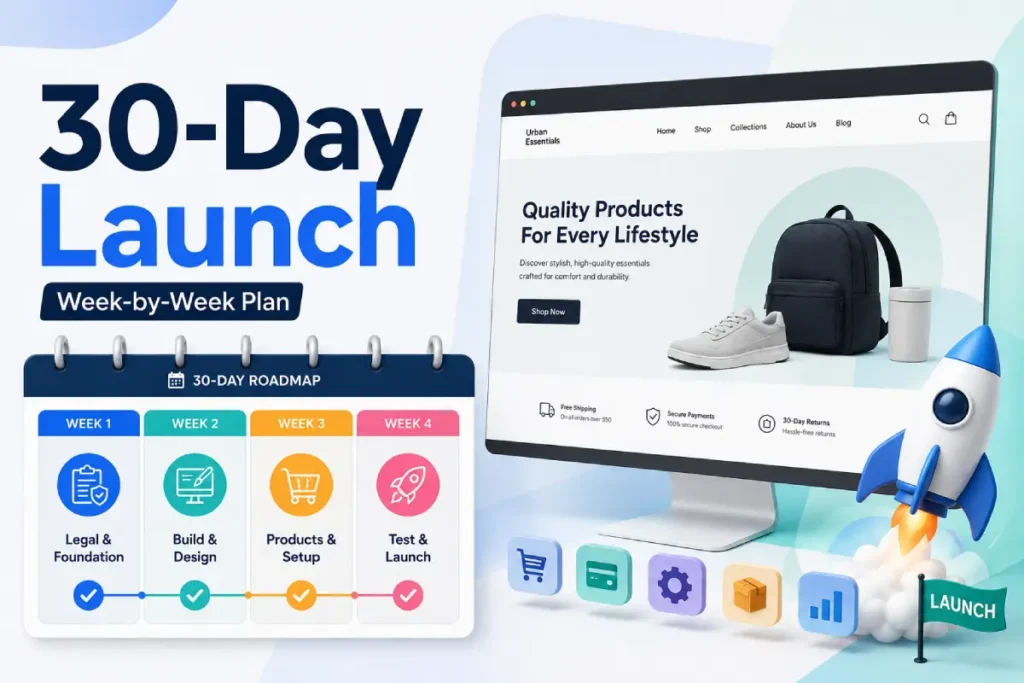
The eCommerce Launch Checklist tells you what needs to happen. It does not tell you when. This is the calendar version, the same underlying work, broken into four weeks, in the order each piece actually becomes possible.
I have watched more launches slip because of sequencing than because of any individual task being hard.
A store owner spends three days polishing a homepage in Week 1 before their business is even legally registered, then discovers in Week 3 that their payment processor cannot verify the account without documentation they never prepared.
The fix is not doing more work, it is doing the right work in the right order.
Week 1 is legal and platform setup, not products. Week 3 is payments and shipping, not design polish.
A payment processor cannot be verified before your business is legally registered, and a real test order cannot happen before that processor is verified.
Skip ahead and you redo work once you hit the piece it depended on.
Table of Contents
Quick Verdict
| Week | Focus | Real Dependency | Typical Cost This Week |
|---|---|---|---|
| Week 1 | Legal setup, platform, and hosting | Nothing before it, everything else depends on this | $50 to $800 |
| Week 2 | Store design and product pages | Needs a live platform and domain from Week 1 | $0 to $200 |
| Week 3 | Payment, shipping, and tax | Needs verified business details from Week 1 | $0 to $50 |
| Week 4 | Testing and launch | Needs a working payment processor from Week 3 | $0 |
Four weeks assumes a simple store, physical or digital products, no custom development. A more complex catalog or custom theme work can push this to 6 weeks realistically, the order stays the same either way.
Week 1: Legal Setup, Platform, and Hosting
Nothing in this timeline depends on anything before Week 1. Everything after it depends on Week 1 being done properly, not just started.
Days 1 to 2: Legal and business setup
- Register your business structure, sole proprietorship, LLC, or corporation, based on your actual liability comfort and budget, not whichever option sounds most impressive
- Apply for an EIN if your structure requires one, this is free and typically instant for US businesses through the IRS website directly
- Check whether your state or country requires a seller’s permit for the products you plan to sell, this varies more than people expect, and skipping it is a compliance problem, not a technicality
- Open a dedicated business bank account, do not run store revenue through a personal one, this single decision affects both your tax filing and your liability protection later
Days 3 to 4: Platform selection
- Compare your top 2 or 3 platform candidates against your actual catalog size, budget, and technical comfort, not brand familiarity or what a competitor happens to use
- Commit to one platform rather than continuing to compare indefinitely, in my experience the store owners who spend two extra weeks comparing platforms are usually avoiding a harder decision elsewhere in the business
- Purchase your domain and connect it early, this takes almost no time and unblocks everything visual later, roughly $15 a year
Days 5 to 7: Hosting and store shell
- Shopify: select your plan and complete basic account setup, Basic at $39 a month is the right starting point for most solo sellers
- WooCommerce: select WordPress-compatible hosting, install WordPress, then install and activate the WooCommerce plugin, budget a full day for this specifically, it is the single most time-consuming step in Week 1 and the one most often underestimated
- Set your store currency, timezone, and business address correctly before Week 2 begins, changing these later on a live store is actually messy, and I have seen a store re-price an entire catalog because currency was set after products were already added
Common mistakes this week:
- Adding products before setting currency, a fixable but tedious mistake to correct after the fact
- Choosing hosting based on price alone without confirming it explicitly supports WordPress, generic shared hosting causes performance problems for WooCommerce specifically
- Skipping the seller’s permit check because it feels like paperwork, this is the step most likely to cause a problem months later, not this week
Week 2: Store Design and Product Pages
This week cannot start meaningfully until your platform and domain from Week 1 are live. Design work done before that point usually gets redone once actual settings are locked in.
Days 8 to 10: Theme and design
- Choose a theme that supports the specific features your catalog needs, variants, subscriptions, or digital downloads, confirm this before falling in love with how a theme looks
- Install your logo and favicon, a small, cheap detail that meaningfully affects first impressions
- Customize your homepage layout and navigation structure, keep this simple in week one, a working homepage beats an ambitious unfinished one
Days 11 to 14: Product pages
- Add products with complete information, actual images, full descriptions, accurate pricing, not placeholder content you plan to fix later, placeholder content has a way of becoming permanent
- Set up variants correctly, each with its own accurate price and stock count, a shared number across variants is a common source of fulfillment errors once orders start coming in
- Organize products into collections or categories, an unsorted catalog is hard for a customer to actually browse, this is invisible to you as the store owner but very visible to a new visitor
- Set accurate inventory counts for anything you are tracking stock on, overselling a product you do not actually have damages trust with that customer permanently, not just for that order
Common mistakes this week:
- Writing product descriptions that copy manufacturer boilerplate directly, this hurts both search ranking and genuine usefulness to an actual buyer
- Inconsistent image dimensions across the catalog, small on its own, but it adds up to a store that looks unfinished once a customer scrolls a category page
- Skipping categories completely for a small catalog, this becomes a problem the moment the catalog grows past a dozen products and nobody goes back to fix it
By the end of Week 2, your store should look and read like a finished storefront, even though nothing can actually be purchased from it yet.
Week 3: Payment, Shipping, and Tax
This is the week most store owners underestimate, and the one I get the most last-minute calls about. Payment processor verification depends directly on the legal business details from Week 1, and it can take longer than expected if any document is missing or incorrect.
Days 15 to 17: Payment setup
- Activate your primary payment processor, Shopify Payments, WooCommerce Payments, or a supported gateway
- Complete verification fully, legal business details, bank account, and in the US often a Social Security Number or EIN, an account that looks connected but is not fully verified cannot actually process a transaction
- Add a backup payment method, PayPal or a manual option, in case your primary processor has any issue, processor outages are infrequent but do happen, and losing sales during one is an avoidable cost
Days 18 to 19: Shipping
- Set your shipping origin to match your actual fulfillment location, not your general business address if the two differ
- Configure shipping zones for the regions you are actually equipped to ship to, selling into a region you cannot fulfill to creates a customer service problem after the sale, not before
- Set rates, flat rate or free shipping is the simplest starting point, save real-time carrier quotes for once you understand your actual shipping costs at real order volume
Days 20 to 21: Tax
- Set up tax collection for every region where you have a legal obligation to collect it
- Choose automated tax calculation if available, or configure manual rates accurately if you prefer direct control
- Do not treat this as optional, uncollected required tax is a compounding liability, and it is a commonly deferred task new store owners quietly forget about completely
Common mistakes this week:
- Submitting incomplete or mismatched business documents during processor verification, this is the single biggest cause of Week 3 running long, confirm your documents match exactly what you registered in Week 1
- Assuming a flat shipping rate covers real costs without ever calculating an actual per-order margin
- Configuring tax for your home state or country only, then discovering an obligation elsewhere after a customer from that region has already ordered
Week 4: Testing and Launch
Nothing in Week 4 works without a verified payment processor from Week 3. This is the week that catches problems while they still only cost you time, not a real customer’s trust, and it is the week most often rushed or skipped completely under launch-day pressure.
Days 22 to 24: Mobile and performance testing
- Load your full site on a real mobile device, not a resized browser window, a resize does not accurately replicate real mobile rendering or touch interaction
- Test your checkout flow specifically on mobile, this is where abandonment concentrates, and where small friction costs completed sales
- Check your homepage load time, aim for under 3 seconds on a realistic connection, not your fastest available office wifi
- Test on at least two different browsers, Chrome and Safari at minimum, a checkout that fails silently in one browser is an invisible revenue loss
Days 25 to 26: SEO basics
- Set unique meta titles and descriptions for your homepage and top product pages
- Confirm your product URLs are readable, not auto-generated strings of characters, this is easy to fix now and actually painful to fix after a search engine has indexed the old ones
- Submit your sitemap to Google Search Console, this speeds up indexing meaningfully compared to waiting for organic discovery
Days 27 to 28: Final pre-launch testing
- Place one complete real order, product page through confirmation email, this is the single most commonly skipped step across every launch I have reviewed, and the one most likely to catch a launch-blocking issue
- Confirm order confirmation and shipping emails actually arrive, check spam folders too, email authentication issues are invisible until you actually check
- Test your return and refund process at least once, even without a real return to process, the first actual return should not be the first time you have thought through the process
- Confirm your legal pages, refund policy, privacy policy, terms of service, are live and linked in your footer, some payment processors will not fully approve an account without these visible
Days 29 to 30: Launch
- Remove any password protection or coming soon page, an easy, common oversight that quietly blocks every visitor including ones arriving from finished marketing
- Publish the store publicly
- Monitor your first 48 hours closely, watching specifically for checkout errors, broken links, and payment failures, no amount of pre-launch testing perfectly replicates customer behavior at actual scale
Common mistakes this week:
- Treating mobile testing as optional because desktop looks fine, most traffic arrives on mobile, and a broken mobile experience quietly loses the majority of visitors before they ever see the desktop version
- Launching without a real test order because every individual setting was checked separately, the full path only gets confirmed when it is tested end to end
- Disappearing after publishing instead of watching the first 48 hours, this is when previously invisible issues actually surface under live traffic
What Actually Extends This Timeline
- A WooCommerce build instead of Shopify. Self-hosted setup adds extra time in Week 1 specifically, hosting selection and WordPress installation alone can take a full day, sometimes longer if a hosting migration is involved
- Custom product photography. If you do not already have real product images, sourcing or shooting them can extend Week 2 by several days, this is consistently the single biggest real-world delay I see in Week 2 specifically
- International selling from the start. Multiple currencies, multiple tax regions, and international shipping zones all add extra configuration time to Week 3, and warrant real research rather than guessing at rates
- Payment processor verification delays. Missing or incorrect legal documents can push Week 3’s timeline out by days while a processor reviews a resubmission, this is the most common real cause of the whole 30-day plan slipping
FAQ for Ecommerce Launch Timelines
Can I really launch an ecommerce store in 30 days?
Yes, for a simple store with a standard catalog and no custom development. More complex builds, custom themes, international selling, or a large catalog needing manual data entry, realistically extend this to 6 weeks or more.
Which week takes the longest in practice?
Week 3, payment, shipping, and tax setup, most often runs long, usually because payment processor verification takes longer than expected when a business document is missing or needs correction.
Can I work on multiple weeks at the same time?
Some overlap is possible, but the core dependencies do not move. Payment verification in Week 3 cannot start meaningfully until legal business setup from Week 1 is actually complete, working ahead on it just means waiting once you get there.
What happens if I skip Week 4’s testing?
You launch with untested assumptions instead of confirmed functionality. A broken mobile checkout, a missing confirmation email, or a payment processor issue all surface after a real customer hits them instead of before, when they only cost you a few minutes to catch.
Is this timeline different for WooCommerce versus Shopify?
Week 1 differs most, WooCommerce requires selecting hosting and installing WordPress before anything else, which Shopify’s hosted setup skips completely. The remaining three weeks follow largely the same sequence on either platform.