
Printful and Printify announced a merger in late 2025. As of this writing, they still operate as fully separate platforms, separate catalogs, separate pricing, separate accounts.
If you are comparing the two based on older content, confirm this detail directly before assuming anything about how they currently work together, because right now they do not.
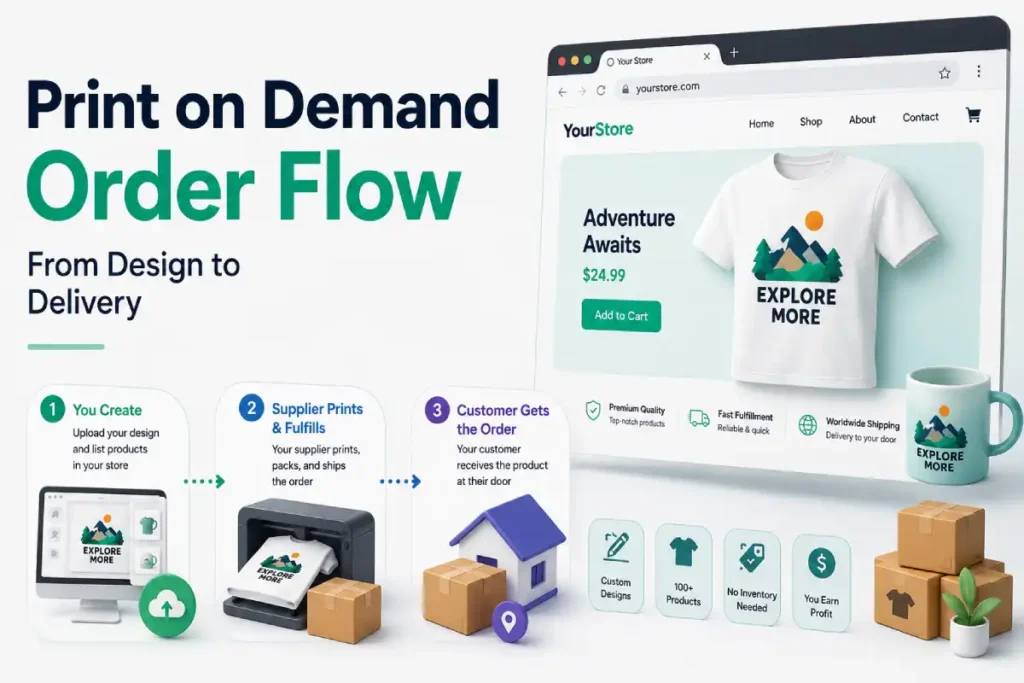
Print-on-demand removes inventory risk completely, you never hold stock, a supplier prints and ships each order as it comes in.
What it does not remove is the actual margin math behind every product you sell, and the platform you choose changes that math more than most beginners expect.
This guide covers the cost differences between Printful, Printify, and SPOD, then walks through setup on both Shopify and WooCommerce, since the integration experience actually differs between them.
Table of Contents
Key Takeaways
- Printful and Printify remain separate companies despite their announced merger. Confirm current status directly before relying on any claim about combined pricing or catalogs.
- Printify commonly undercuts Printful by roughly $1 to $4 per unit, the exact gap depends on the specific product and which Printify supplier fulfills it, since Printify routes orders across a network of third-party providers rather than owning its own facilities.
- Printful owns and operates its own production facilities. This costs more but produces more consistent quality and fewer refund requests, a genuine tradeoff against Printify’s lower base prices and less predictable quality control.
- SPOD is the fastest of the three, with roughly 95 percent of orders in production within 48 hours, versus Printful’s 2 to 5 business days and Printify’s variable timing depending on the supplier.
- Many established sellers run more than one provider at once, routing different products to whichever platform offers the better price or quality for that specific item, rather than committing to a single provider for everything.
- Printful bills you separately from what customers pay you. Customer payments flow through Shopify, but Printful charges your own billing method directly for production costs on each order, a separate setup step most first-time sellers overlook completely.
Printful vs Printify vs SPOD, the Real Comparison
How Each Platform Actually Works
- Printful owns and runs its own print facilities, giving it direct control over quality, consistency, and fulfillment speed, at a cost premium reflected in its pricing
- Printify is a marketplace connecting you to a network of third-party print providers, your actual cost and quality depend on which specific provider fulfills a given order, an operational tradeoff you manage by choosing providers deliberately rather than defaulting to whichever is cheapest
- SPOD prioritizes production speed above almost everything else, with a simpler, typically smaller product catalog than either competitor
The Real Margin Difference
On a standard product like a Bella+Canvas or Gildan t-shirt, Printify’s base cost commonly runs $1 to $4 or more below Printful’s, depending on which specific shirt model and Printify provider you compare.
At 100 sales a month, that gap adds up to roughly $130 to $400 in additional margin with Printify, meaningful money at that volume, though it is not the whole picture.
Printful’s premium buys something genuine in return, in-house production tends to produce fewer quality complaints and fewer refund requests than a low-cost, decentralized Printify provider.
If a cheaper provider is costing you 5 to 10 percent of orders in returns or complaints, the savings on paper stop being actual savings in practice.
Real Plan Costs Beyond the Free Tier
- Printful Growth, roughly $24.99 a month, offers up to 30 to 33 percent off products, though the top discount tier applies only to select products, not your entire catalog
- Printify Premium, reported between roughly $25 and $39 a month depending on the source, offers around 20 percent off products and support for up to 10 connected stores
- Both platforms let you start completely free with no credit card required, upgrade only once volume justifies the discount
Real Product Catalog and Speed Differences
| Factor | Printful | Printify | SPOD |
|---|---|---|---|
| Product catalog | 370+ products | 1,300+ to 2,000+ products, the largest of the three | Smaller, more curated catalog |
| Production speed | 2 to 5 business days | Varies completely by provider | Roughly 95% within 48 hours |
| Fulfillment model | Owns its own facilities | Network of third-party providers | Owns its own facilities |
| Platform integrations | Shopify, WooCommerce, BigCommerce, Squarespace, Wix, Ecwid, Webflow, Etsy, Amazon, TikTok Shop, and more | Shopify, WooCommerce, BigCommerce, Etsy, and more | Primarily Shopify and WooCommerce focused |
Real Branding Costs Worth Factoring Into Your Margin
Printful’s branding options add extra cost beyond the base product price. Custom inside labels commonly run around $2.50 extra per shirt, and pack-ins, extra items included in the package, carry their own storage and picking fees.
Factor these into your actual margin calculation before pricing your products, not after your first order reveals the true total cost.
What Actually Matters More Than the Platform Choice
The provider you choose changes your margin, it does not determine whether your store succeeds. Sellers have built truly profitable businesses on SPOD’s simpler catalog, and sellers with Printful’s premium print quality have failed because they could not drive traffic to their store.
Design quality, niche selection, and marketing execution carry more weight than which of these three platforms sits behind your storefront.
Setting Up Print-on-Demand on Shopify With Printful
Printful’s own setup guide has 6 real steps, from creating an account through driving your first traffic.
Step 1: Create Your Printful Account
- Go to Printful’s website and click Sign Up
- Provide your name, email, and password, no additional business details are required to start
Step 2: Install the Printful App on Shopify
- Log into your Shopify account and go to the Add apps menu on the left-hand side of the dashboard
- If Printful does not show as a recommended app, click Shopify App Store and search for Printful directly
- Choose the Printful app, click Install, and confirm
Step 3: Connect Your Store
- Once installed, you will be prompted to log into both your Shopify and Printful accounts
- Follow the prompts to connect the two together
- Confirm the connection
Step 4: Design and Add Your Products
- In your Printful Dashboard, go to Stores, select the store you just connected
- Click Add product, this opens Printful’s Catalog
- Pick the product you want to sell, it opens in Printful’s free Design Maker
- Choose the fulfillment technique and printing type where multiple options exist, along with product colors, sizes, and print or embroidery placement
- Upload your design, or create one using Printful’s built-in design assets, then continue
- Choose basic or custom mockups to display the product on your store
- Review the product description, Printful provides a standard one you are free to edit, and set your own retail price
- Once finished, the product becomes visible on your Shopify store automatically, with options to view or edit it directly in Shopify
An alternate path exists through Product templates in your Printful Dashboard, useful if you want to design products before committing them to a specific store, create the template, save it, then add it to your store and proceed to mockups and pricing when you are ready.
Step 5: Set Up Payments
This step covers two separate payment flows, and missing either one is a real, common gap in a first setup.
Setting up payments in Shopify, this is how you get paid by customers:
- In your Shopify dashboard, go to Settings, then Payments
- Choose your payment method, Shopify Payments or a third-party provider like PayPal, and complete setup
- Shopify collects customer payments and deposits funds into your bank account on your gateway’s normal payout schedule
Setting up billing with Printful, this is how Printful charges you for production, a separate flow most new sellers overlook:
- Printful charges you directly for the production and fulfillment of each order once it comes in, this is separate from what your customer pays you
- Add a valid billing method, credit card, Printful Wallet, or PayPal, in your Printful Dashboard under Billing, then Billing methods, then Add new billing method
- Confirm this is set up before your first real order, an order cannot be fulfilled without an active billing method on file
Step 6: Drive Traffic to Your Store
Printful automatically imports and fulfills orders once they come in, the remaining work is bringing customers to your store.
Real, common approaches include targeted social ads, email marketing to your subscriber list, SEO on your product titles and descriptions, and influencer collaborations in your niche.
An Alternative Path: Creating Products in Shopify First
- If you already have a product workflow in Shopify, create the product there as you normally would
- In Shopify, go to Settings, then Store settings, then Orders, and enable Import existing products under Sync as you go
- In your Printful Dashboard, go to Stores, select your Shopify store, and click Refresh data to sync the product across
Setting Up Print-on-Demand on WooCommerce
WooCommerce’s print-on-demand integration works through a dedicated plugin for each provider, one for Printful, one for Printify.
Connecting Printful to WooCommerce
- In your WordPress dashboard, go to Plugins, then Add New
- Search for Printful Integration for WooCommerce, install and activate it
- Connect it to your Printful account by logging in directly through the plugin’s settings screen in WordPress
- This syncs your Printful products with your WooCommerce store and automates order fulfillment going forward
Connecting Printify to WooCommerce
- In your WordPress dashboard, go to Plugins, then Add New
- Search for Printify for WooCommerce, click Install Now, then Activate
- Connect the plugin to your Printify account through its settings
- This synchronizes your product catalog and automates orders directly from your WooCommerce store
Real Setup Considerations Before You Launch
- Verify sync settings before your first live order, a product created in one platform not appearing correctly in the other is the most common early issue sellers report, catch this with a test product before a customer does
- Calculate your actual margin including branding and platform fees, not just the base product cost, before setting your retail prices
- Decide on your provider strategy deliberately, single-provider for simplicity, or a multi-provider approach routing specific products to whichever platform offers the best combination of price and quality for that item
FAQ for Starting a Print-on-Demand Business
Did Printful and Printify actually merge?
They announced a merger in late 2025, but as of this writing they continue to operate as separate companies with distinct catalogs, pricing, and accounts. Confirm current status directly before assuming any claim about a combined platform.
Is Printify actually cheaper than Printful?
Usually, by roughly $1 to $4 per unit on a standard product like a t-shirt, though the exact gap depends on the specific item and which Printify provider fulfills it. Printful’s higher cost reflects its own in-house production and generally more consistent quality.
How fast is SPOD compared to Printful and Printify?
SPOD is the fastest of the three, with roughly 95 percent of orders in production within 48 hours. Printful runs 2 to 5 business days, and Printify’s speed varies completely by which specific provider handles a given order.
Do I need a business registered before starting print-on-demand?
No additional business details are required to create a Printful or Printify account and start designing products. You will need actual business and tax details once you are ready to collect payments through your storefront.
Can I use more than one print-on-demand provider at once?
Yes, and many established sellers do exactly this, routing different products to whichever provider offers the better price or quality for that specific item rather than relying on one provider for an entire catalog.
Who actually charges me for producing each order, Shopify or Printful?
Printful does, separately from your Shopify payment setup. Customer payments flow through Shopify’s payment gateway into your bank account, while Printful charges your own billing method directly for production and fulfillment on each order, add a payment method in Printful’s Billing settings before your first real order goes through.
Which matters more, the platform I choose or my marketing?
Marketing and design quality carry more weight than the specific platform. Sellers have built profitable stores on simpler, budget-tier platforms, and sellers with premium print quality have failed from an inability to drive traffic, the platform is a tool, not the strategy itself.