
Shopify Markets is included on every plan, yet only about 30% of Shopify stores actively sell outside their home country. The tooling has been ready for years. The barrier has always been setup complexity: currency rules, domain strategy, and duty calculation each have their own settings, and getting any one of them wrong quietly costs conversions without ever showing up as an obvious error.
This guide covers the full setup, from creating your first market through duty collection, and spends real time on the specific settings most merchants either skip or configure wrong.
In this guide, you will learn how markets and submarkets actually work, how to choose a domain strategy that will not hurt your SEO, how duties and HS codes work at checkout, and which default settings quietly cost you sales.
Key Takeaways
- Shopify Markets supports up to 50 markets per store, and a 2026 update added submarkets, letting a parent market like the EU share settings while individual countries override language, domain, and pricing.
- Multi-currency requires Shopify Payments. Without it, prices display in your store currency only, and international cart abandonment rises measurably since 92% of shoppers prefer to browse and pay in their local currency.
- The single most common setup mistake is leaving the default International market active with no customization, which groups every country outside your home market under identical settings regardless of currency or language fit.
- DDP (Delivered Duty Paid) shipping cuts order refusal rates dramatically compared to DDU, since customers pay duties at checkout instead of facing a surprise charge at delivery.
- A new EU rule effective July 1, 2026 replaces the old €150 duty exemption with a flat €3 customs duty per tariff line on qualifying orders, a change that directly affects any merchant shipping into the EU from outside it.
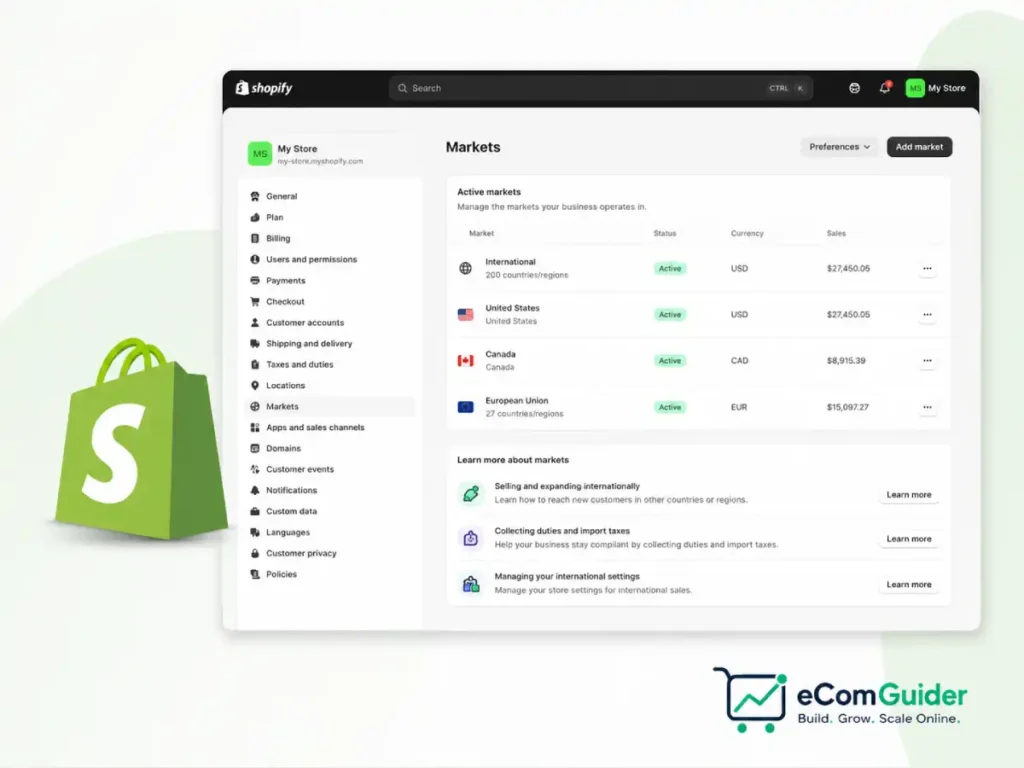
What Shopify Markets Actually Does
Shopify Markets is a single dashboard that controls how your store behaves in different countries and regions, replacing what used to require separate Shopify stores per country. From one admin, it manages which countries you sell to, what currency and language each one sees, how prices adjust per market, and how duties get calculated at checkout.
Every market operates independently. You can activate a market, set its currency, assign a domain strategy, and configure duty collection without affecting any other market’s settings.
This is what makes Markets fundamentally different from simply adding a currency converter to an existing store: it is genuinely one catalog and one admin, with the storefront experience flexing per visitor based on their region.
We evaluated Shopify’s own setup documentation alongside real 2026 merchant setup guides and Shopify Partner case studies to identify where the official process and the actual friction points diverge, since the two frequently do not match.
Official documentation tends to present each setting as an isolated toggle, while the merchants who have actually launched new markets describe a handful of specific defaults that quietly cost conversions if left unchanged. Those specific gaps are the focus of the settings section later in this guide.
How to Set Up Shopify Markets
Step 1: Review Your Primary Market
Your primary market is set automatically based on your store address and currency, and it defines your default customer experience. Before adding new markets, confirm this primary market is configured correctly, since every other market you add will be judged against it for currency, tax, and content defaults.
Step 2: Delete or Rebuild the Default International Market
Shopify creates a default International market automatically, grouping every country you have not explicitly configured under one shared setting. Using this default market unchanged is the most commonly cited setup mistake among Shopify Partners, since it applies identical currency and pricing rules across countries with wildly different purchasing power and duty structures. Deactivate it and build markets intentionally instead.
Step 3: Decide Between Single-Country and Multi-Country Markets
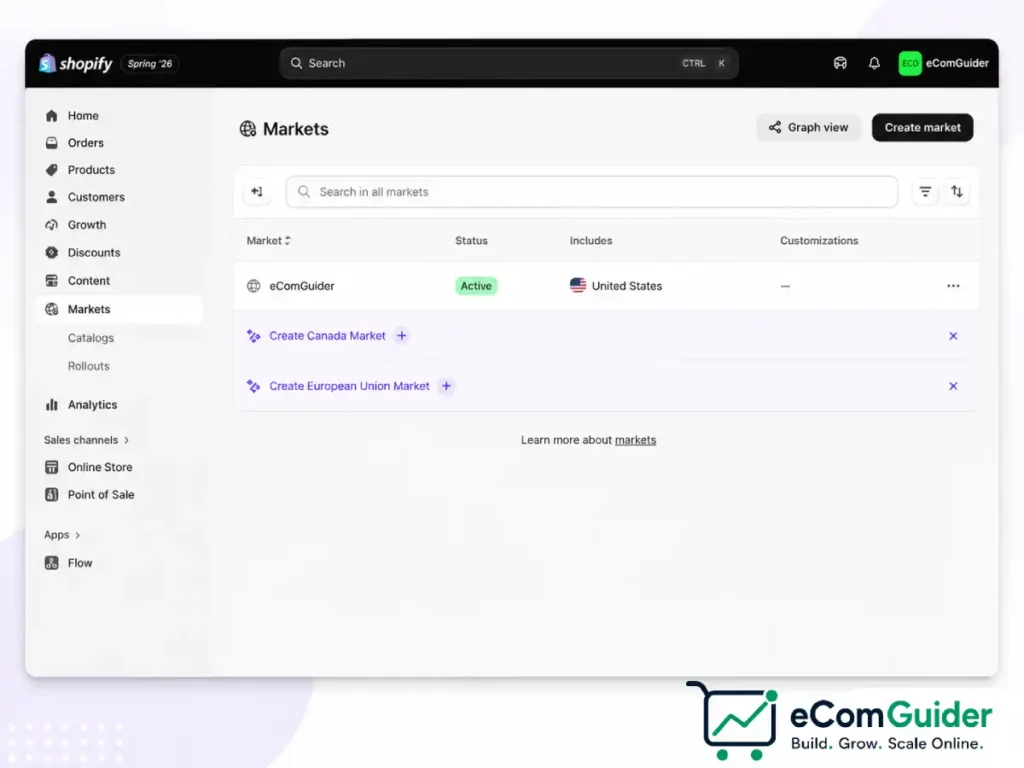
A single-country market gives you full, granular control over pricing, language, and domain strategy for a specific country. A multi-country market groups similar regions, such as German-speaking countries or the GCC, under shared settings. High-value countries with distinct purchasing power generally deserve their own single-country market, while smaller, similar markets are easier to manage grouped together.
Step 4: Enable Multi-Currency
Multi-currency requires Shopify Payments to be active first. Once enabled, creating a market with a country attached unlocks the option to sell in that customer’s local currency automatically, and most modern themes will display a currency selector once the setting is turned on.
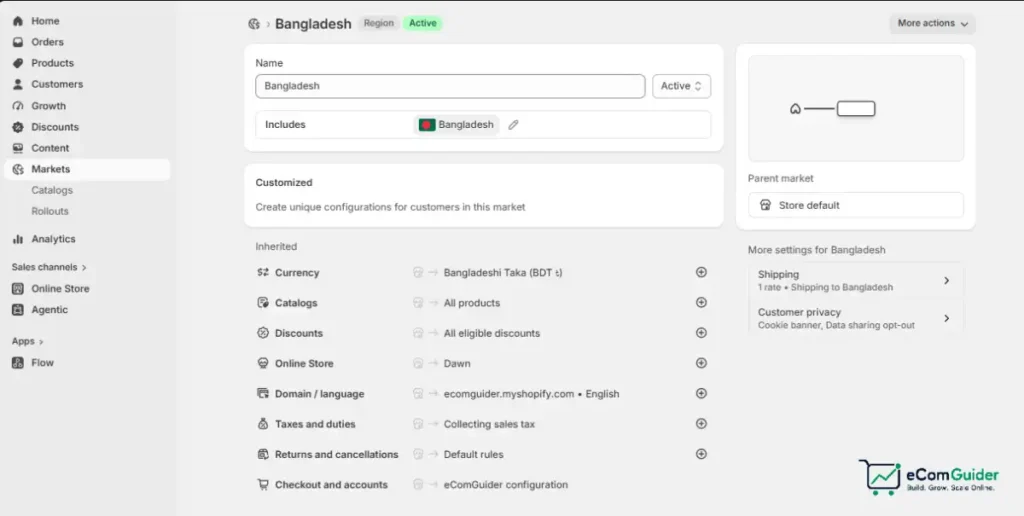
Step 5: Configure Submarkets If You Are Managing a Region
Submarkets, added in 2026, let a parent market act as a template. A EU parent market set to EUR and English can hold individual submarkets for France, Germany, and Spain, each inheriting the parent’s base settings while overriding language or homepage content. Submarkets count toward the 50-market ceiling but remove the need to rebuild shared configuration for every country in a region.
Step 6: Set Your Domain Strategy
Each market can use a subfolder, a subdomain, or a country-code top-level domain, covered in detail below, since this decision affects both SEO and how legitimate the storefront feels to a local buyer.
Step 7: Configure Duties and Taxes
Decide whether to collect duties at checkout (DDP) or leave that responsibility with the customer at delivery (DDU/DAP), covered in full in the duties section below, since this single setting has an outsized effect on international order completion rates.
Multi-Currency: What Actually Matters
Showing foreign prices to an international shopper measurably increases cart abandonment, and research places that increase as high as 33% compared to showing local currency. Once Shopify Payments and multi-currency are active, you choose between three approaches to how prices convert.
Automatic conversion uses live exchange rates with no manual input, which is simplest but produces awkward prices like 47.23 EUR for a 49.99 USD product.
Automatic conversion with rounding fixes that specific problem by rounding to the nearest round number, giving a cleaner price at minimal ongoing effort. This is the right default for most merchants entering a new market.
Manual market-specific pricing gives full control over each product’s price in each market, at the cost of ongoing maintenance. It is worth the effort specifically for markets where purchasing power differs meaningfully from your home market.
Currency rounding is a detail that gets skipped constantly and shows up as a real conversion cost. A converted price of AED 36.71 reads as a system error to a local buyer, while AED 37.00 reads as an intentional price. Review your converted prices manually in each new market before launch, not just the exchange rate math.
Domain and URL Strategy
Shopify Markets supports three domain approaches per market, and the choice affects SEO more than most setup guides acknowledge. A subfolder, such as yourstore.com/de for Germany, is the simplest to set up and consolidates all your domain authority into one property, which Google generally rewards.
A subdomain, such as de.yourstore.com, separates markets more distinctly but splits SEO authority across subdomains that Google may treat as semi-independent.
A country-code top-level domain, such as yourstore.de, gives the strongest local trust signal to buyers but requires managing and ranking a genuinely separate domain from scratch.
For most merchants expanding internationally for the first time, subfolders are the lower-risk starting point, since they preserve existing domain authority while still supporting the automatic hreflang tags Shopify generates for each market.
Reserve a dedicated country-code domain for a market that is already generating meaningful, proven revenue and can justify separate SEO investment.
One setting causes real, avoidable SEO problems here: automatic geo-redirects on a custom domain. Redirecting visitors automatically based on detected location can prevent Google from indexing your other market pages at all, and it actively frustrates any shopper using a VPN. Use a visible market selector instead of a forced redirect.
Duties, Taxes, and HS Codes
DDP and DAP describe who pays import duties and when. Under DDP (Delivered Duty Paid), duties and import taxes are calculated and collected at checkout, so the customer sees one final total with no surprise charge at delivery.
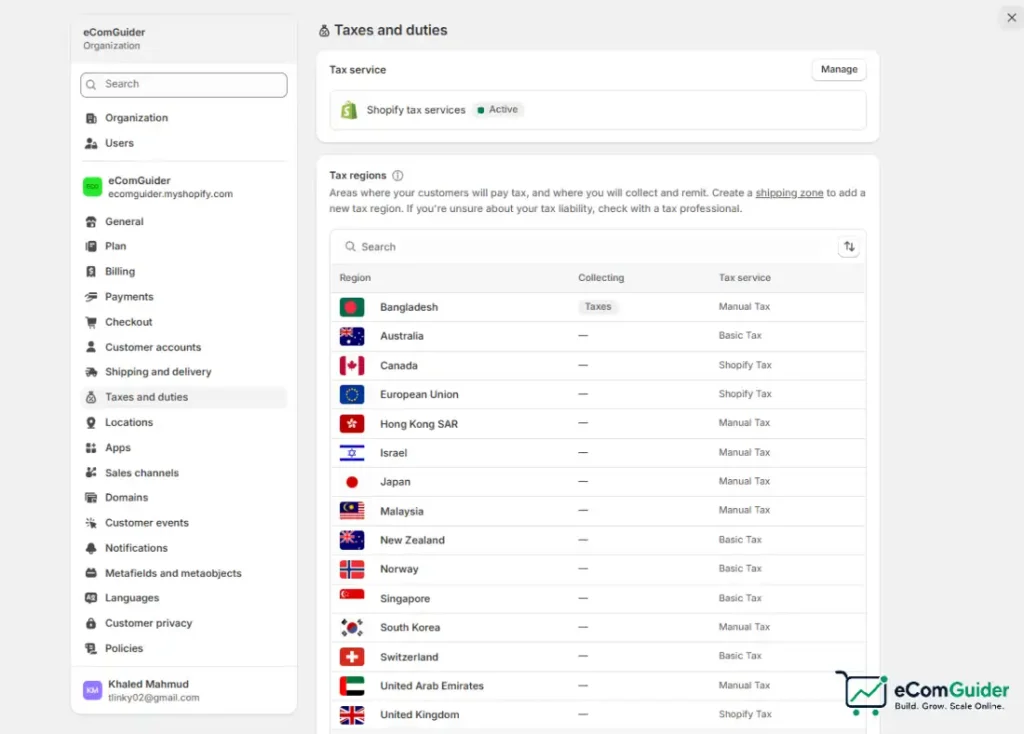
Under DAP (Delivered at Place), the customer pays duties directly to the carrier upon delivery, which requires no upfront setup but creates real friction.
DDU shipments carry meaningfully higher refusal rates, commonly cited between 15 and 25%, specifically because customers were not expecting the additional charge.
Collecting duties at checkout requires Harmonized System (HS) codes and a country of origin on every product, added individually, in bulk, or via CSV.
Getting the HS code wrong is not a minor error. The correct code can be the difference between a 0% and a 15% or higher duty rate, and one 2023 industry study found 15% of ecommerce shipments carried incorrect HS codes, leading to an average 7% duty overpayment.
Once duties are collected at checkout, orders must ship using DDP-compatible shipping labels rather than standard labels, or the customer ends up charged twice.
Shopify charges a transaction fee for calculating duties at checkout, normally 0.85% on Shopify Payments, though this fee has been temporarily reduced during parts of 2025 and 2026, so confirm the current rate in your admin before assuming the standard figure applies.
A significant regulatory change affects any merchant shipping into the EU starting July 1, 2026: the previous €150 duty exemption on low-value imports is being replaced by a flat €3 customs duty per tariff line on qualifying orders.
A parcel with two distinct HS codes now carries €6 in duty regardless of the item value, which changes the math on bundling versus itemizing products shipped from outside the EU.
Managed Markets: The Add-On Tier
Standard Shopify Markets is included on every plan and covers most merchants expanding for the first time. Managed Markets, the current name for what was previously called Markets Pro, is a paid add-on powered by Global-e that takes on significantly more of the compliance burden.
Under Managed Markets, Global-e acts as your merchant of record for international transactions, meaning it handles VAT registration, remits the correct taxes, and offers duty-inclusive checkout with guaranteed amounts rather than estimates.
Managed Markets also unlocks certain local payment methods, such as iDEAL in the Netherlands and Bancontact in Belgium, that are not available through standard Markets, and it screens your catalog for products likely to trigger customs issues before they become a real shipment problem.
The tradeoff is cost and reduced control: acting as your own merchant of record under standard Markets means you keep full control over tax registration and remittance, while Managed Markets takes that responsibility, and the associated fee, off your plate.
For a Shopify Plus store already deep into international volume, deciding between standard and Managed Markets often comes down to how much internal capacity exists for tax compliance work.
Our Shopify vs Shopify Plus comparison covers which international features are gated behind the Plus tier specifically, which is worth checking before assuming Managed Markets is the only way to unlock deeper local payment support.
Settings Most Merchants Miss
Leaving the Default International Market Active
Covered above as a setup step, this is worth repeating as a standalone warning: the default market groups every unconfigured country under one set of rules, which is rarely correct for more than one or two of those countries.
Forcing Geo-Redirects Instead of a Market Selector
Automatic redirects based on detected location cause real, documented SEO indexing problems and frustrate VPN users. A visible selector lets Google index every market page and lets the customer choose.
Skipping Currency Rounding Review
Automatic conversion without rounding produces prices that look like calculation errors rather than intentional pricing. Review converted prices manually in each market before launch.
Missing HS Codes on New Products
HS codes are required for duty calculation at checkout, and a missing code either blocks duty collection entirely for that product or defaults to an inaccurate estimate. Add HS codes as a standard step in your product creation workflow, not an afterthought before a launch.
Using DAP Shipping by Default
Many merchants never actively choose between DDP and DAP and end up on DAP by default, absorbing the higher refusal rate that comes with surprising customers at delivery. This is a setting worth actively reviewing, not leaving on its default.
Ignoring De Minimis Thresholds Per Country
Duty-free thresholds vary significantly by destination: roughly $800 for the US, CAD $20 for Canada, and £135 for the UK, with the EU applying VAT to essentially all imports regardless of value since 2021. A pricing or bundling strategy that works for one market can trigger unexpected duties in another.
Not Reconciling Collected Duties Against Carrier Invoices
Once DDP shipping is active, carriers invoice you for the duties they paid on your behalf. Compare what you collected at checkout against what carriers actually charged on your first several invoices to catch HS code or calculation errors before they compound.
Common Mistakes to Avoid
Translating Only the Homepage
Partial translation reads as an afterthought to an international buyer and creates a jarring experience once they reach an untranslated product or checkout page. If you localize a market’s language, extend that translation through checkout, not just the landing pages.
Applying One Free Shipping Threshold Globally
Domestic and international shipping costs differ substantially, and a free shipping threshold calibrated for domestic orders often loses money on international ones. Set threshold and shipping cost structures per market rather than applying one global number.
Publishing No International Return Policy
A return policy written only with domestic logistics in mind leaves international buyers uncertain about return shipping costs and timelines, a real purchase hesitation point specifically for higher-consideration products. Our best shipping software for ecommerce guide and ShipStation review cover tools that help manage cross-border returns alongside outbound shipping.
Assuming One Carrier Handles Every Market Well
Carrier strength varies by region: a service that is fast and affordable domestically may be slow or expensive to a specific international destination. Test actual delivery times and cost per market rather than assuming your existing carrier relationship scales globally.
FAQ’s
What is Shopify Markets?
Shopify Markets is a built-in feature, included on every Shopify plan, that lets one store sell in multiple countries with localized currency, language, pricing, and duty settings. It replaces the older approach of running separate Shopify stores per country.
Does Shopify Markets cost extra?
No, standard Shopify Markets is included on every plan at no additional cost. Managed Markets, the paid add-on formerly called Markets Pro, carries its own fee since it takes on merchant-of-record responsibilities like VAT registration and remittance.
Do I need Shopify Payments to use Shopify Markets?
You need Shopify Payments specifically to unlock multi-currency pricing and checkout. Markets itself can still manage language, domain, and basic settings without it, but customers will see prices only in your store’s base currency.
What is the difference between DDP and DAP shipping?
DDP means duties and import taxes are calculated and collected from the customer at checkout, so there is no surprise charge at delivery. DAP means the customer pays duties directly to the carrier when the package arrives, which requires no checkout setup but causes meaningfully higher order refusal rates.
How many markets can I create on Shopify?
Shopify Markets supports up to 50 markets per store, and submarkets, added in 2026, let you manage many individual countries within a region without recreating shared settings for each one.
Do I need a country-specific domain to sell internationally on Shopify?
No. A subfolder structure, such as yourstore.com/de, is a lower-risk starting point that preserves your existing domain authority, and Shopify automatically generates hreflang tags to support it. Dedicated country-code domains are worth the added complexity mainly once a specific market is already generating substantial, proven revenue.
Final Thoughts
Shopify Markets removes the technical barrier to selling internationally, but the settings that actually determine whether it converts, currency rounding, domain strategy, DDP versus DAP, and correct HS codes, are exactly the details most setup guides gloss over. Getting the big structural decisions right, deactivating the default International market, choosing a domain strategy deliberately, and collecting duties at checkout, matters more than any individual feature toggle.
If you are still weighing whether Shopify is the right platform for a store planning international growth from the start, our Shopify for small business guide and full Shopify review are good next stops before committing to the platform.