
Technical SEO is not a matter of opinion. There is a defined set of requirements, robots.txt, structured data, canonical tags, server-side rendering, that every serious platform gets checked against.
Most Wix SEO content skips that structure largely and talks in generalities instead.
This guide checks Wix against 14 specific technical SEO requirements. For each one, you get what it is, whether Wix handles it, the exact steps to set it up, how to customize it, and a real app recommendation where Wix’s native tools fall short.
Nothing here requires opening a second tab to figure out.
Table of Contents
Key Takeaways
- Wix fully handles 9 of the 14 requirements checked here, including automatic structured data, editable robots.txt, and per-page noindex control.
- Wix’s real strength most competitors do not mention: it automatically noindexes thin pages like blog archive and tag pages by default.
- Wix’s real gap: heading hierarchy and internal linking are not enforced or assisted by the platform at all, both are largely manual.
- Sitemap index files and image/video sitemap extensions have no confirmed native support, relevant mainly to very large catalogs.
- Wix uses dynamic rendering to serve crawlers pre-rendered HTML, a real technique, but distinct from true server-side rendering for every visitor.
- IndexNow is natively supported. Google does not participate in IndexNow on any platform, so this speeds up Bing and secondary engines only.
- For the genuine gaps, on-page audits, breadcrumb schema, keyword research, real Wix App Market apps are named below with what each one actually does.
Before You Start: Where Wix’s SEO Tools Live
Nearly everything in this guide is accessed from one place. Go to your Wix dashboard, then Marketing & SEO, then SEO Tools.
This is the control panel for robots.txt, redirects, Google Search Console connection, and the SEO Setup Checklist.
Page-specific settings, meta robots, structured data, URL slugs, live inside each individual page’s own Edit SEO Settings panel, opened from that page’s editor.
Keep both locations in mind. Site-wide settings live in SEO Tools. Page-level settings live on the page itself.
1. robots.txt
What it is. A plain-text file at the site root telling crawlers which paths they may or may not fetch.
Does Wix handle it. Yes, fully. Wix generates an editable robots.txt file automatically at yourdomain.com/robots.txt. Everything is crawlable by default.
How to set it up.
- Go to Marketing & SEO, then SEO Tools
- Find the robots.txt editor
- Wix shows the current default file, review it before changing anything
How to customize it. Add custom Disallow or Allow directives directly in the editor. Save changes, they apply immediately.
Limitation and warning. Wix’s own documentation warns that incorrect custom directives can remove entire sections of your site from the index.
Test any change by fetching the live robots.txt URL afterward and confirming it reads the way you intended before moving on.
App recommendation: None needed, this is fully native.
2. XML Sitemaps
What it is. An XML file listing your site’s canonical URLs, the fastest way to tell a search engine what exists.
Does Wix handle it. Yes, fully automatic. Generated and updated as pages and products are added or removed, at yourdomain.com/sitemap.xml.
How to set it up.
- Go to Marketing & SEO, then SEO Tools
- Click Connect to Google Search Console, Wix verifies ownership in one click
- In Search Console, submit your sitemap URL under Sitemaps in the left menu
How to customize it. The sitemap’s structure is not manually editable, this is intentional and generally correct, manual sitemap editing is a common source of errors on other platforms.
Limitation. None for typical catalog sizes.
App recommendation: None needed.
3. Sitemap Index Files
What it is. A sitemap of sitemaps, used when a site exceeds 50,000 URLs or needs sitemaps split by content type.
Does Wix handle it. Not confirmed. No evidence of a user-facing sitemap index management tool.
How to set it up. There is no manual setup path, Wix’s sitemap generation is fully automatic and does not expose index-file controls.
How to customize it. Not available.
Limitation. Relevant only to the largest Wix stores approaching the platform’s own 50,000-product ceiling.
If your store is meaningfully at that scale, this is worth raising directly with Wix support to confirm current internal handling, since Wix’s system may chunk large sitemaps automatically behind the scenes even without exposing that as a setting.
App recommendation: None found that specifically addresses this gap for Wix. If your catalog is approaching this scale, this is a genuine reason to evaluate whether Wix remains the right platform at that size.
4. Image and Video Sitemap Extensions
What it is. Optional XML extensions adding image and video metadata to sitemap entries, useful when media is loaded by JavaScript or hosted somewhere crawlers cannot reach by following links.
Does Wix handle it. Not confirmed natively.
How to set it up. No manual path exists for this specifically.
How to customize it. Not available as a direct setting.
Limitation. In practice this matters less on Wix than on a custom-coded site, since Wix serves images through its own CDN with standard, crawlable image URLs rather than pure JavaScript injection.
The risk this extension protects against is lower here by default, but not eliminated for video content specifically.
App recommendation: None needed for most stores. If video content is a major part of your catalog, ensure video pages also carry basic on-page video schema through the structured data tools in item 12 below, which partially compensates.
5. URL Structure
What it is. URLs are the most stable identifier on the web. Keep them lowercase, hyphenated, descriptive, and shallow.
Does Wix handle it. Yes, with a default flaw. Every page and product supports a custom slug, but Wix Stores products carry a mandatory /product-page/ prefix by default.
How to set it up and fix the default.
- Go to Marketing & SEO, then SEO Tools, then SEO Settings
- Under Edit by page type, select Products
- Click Edit next to Page URL
- Edit the URL structure field, you can remove the product-page prefix here
- Click + Add Variable to include a dynamic value like the product name, at least one variable is required
- Choose whether to let Wix automatically redirect old URLs to the new structure, leave this checked so existing links and any indexed pages redirect cleanly
How to customize individual page slugs.
- Open the specific product or page
- Click Edit SEO Settings under Marketing & SEO on that page
- Go to the Basics tab
- Edit the URL Slug field directly, keep it short and descriptive
Limitation. Most store owners never open the SEO Settings page to fix the default prefix. It is a five-minute task with a small but real upside in a competitive niche.
App recommendation: None needed, this is a native setting most owners simply never visit.
6. Redirects (301/302/308)
What it is. HTTP redirects sending a client from one URL to another. Use 301 or 308 for permanent moves, 302 or 307 for temporary ones.
Does Wix handle it. Partially. A URL Redirect Manager exists, and 301 redirects are created automatically when a slug changes.
How to set it up.
- Go to Marketing & SEO, then SEO Tools
- Select URL Redirect Manager
- Click + New Redirect
- Enter the old URL and the new destination URL
- Save
How to customize it. Redirects can be added individually or, when changing a URL structure in bulk (see item 5), Wix offers a group redirect option covering every affected page at once.
Limitation. No confirmed native support for distinguishing temporary redirects (302/307) from permanent ones, everything available functions as a permanent redirect.
If you need a meaningfully temporary redirect for a specific campaign or seasonal page, this is not natively available.
App recommendation: None needed for standard permanent redirects, which cover the overwhelming majority of real use cases.
7. Server-Side Rendering
What it is. Crawlers and AI agents index the HTML your server returns. Rendering primary content server-side, rather than assembling it later via client-side JavaScript, ensures it is present in the initial response.
Does Wix handle it. Through dynamic rendering, not true universal SSR. Wix serves crawlers a pre-rendered HTML snapshot on request rather than rendering every request server-side for every visitor.
How to set it up. No setup required, this is handled automatically at the platform level.
How to customize it. Not available, and not necessary, this operates the same way for every Wix site.
Limitation. Dynamic rendering is a legitimate, Google-accepted technique, but it specifically benefits crawlability rather than real-user experience the way universal server rendering does. This is a real, if narrow, technical distinction worth understanding rather than assuming Wix behaves identically to a platform with true SSR.
App recommendation: None applicable, this is not a setting.
8. Soft 404s
What it is. A page that looks like a not-found message to a user but returns 200 OK to a crawler. Search engines treat this as a quality problem.
Does Wix handle it. Not clearly addressed with automatic detection.
How to set it up.
- Go to Marketing & SEO, then SEO Tools
- Check Response Status Monitoring or the Site Inspection report for pages returning unexpected status codes
- For any collection, category, or search results page that can be meaningfully empty, either ensure it always has fallback content or apply a noindex tag (see item 9) proactively rather than let it exist as a thin, empty page
How to customize it. There is no automatic soft 404 flagging, this is manual review using the Site Inspection report as your primary signal.
Limitation. Prevention rests with the store owner, not an automatic platform safeguard.
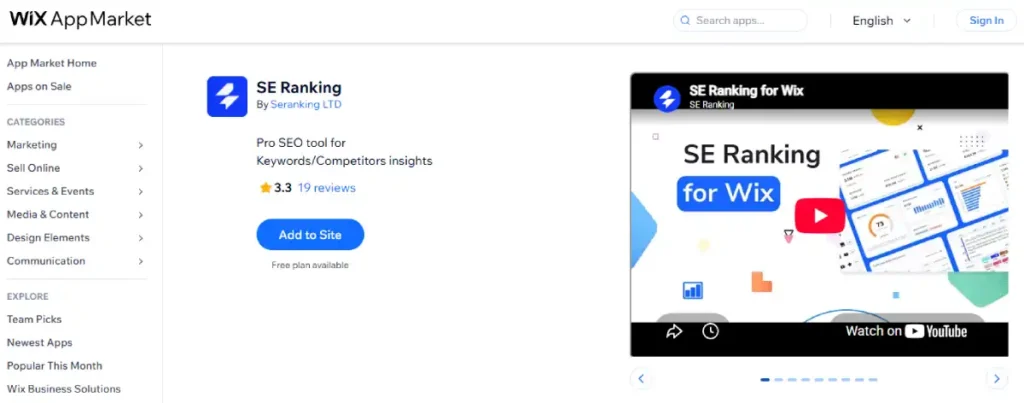
App recommendation: SE Ranking, listed in the Wix App Market, includes broader site auditing that can help surface thin or problematic pages as part of its ongoing monitoring, alongside its primary keyword and competitor research features.
9. Meta Robots and X-Robots-Tag
What it is. Every page must have an explicit, correct indexing policy, either implicit index-follow on public pages, or explicit noindex on staging, admin, thin, or private content.
Does Wix handle it. Yes, fully, and meaningfully well. Every page has granular controls, and Wix applies smart defaults automatically.
How to set it up.
- Open the page you want to control
- Click Edit SEO Settings
- Go to the Advanced SEO tab
- Expand the Robots Meta Tag section
- Check noindex and, if needed, nofollow
- Use the Additional Tags section for other directives like max-snippet or max-video-preview
How to customize it. Full per-page control over noindex, nofollow, nosnippet, noarchive, max-snippet, and max-image-preview, plus the ability to add custom meta tags not covered by the standard options.
The genuine strength worth highlighting. Wix automatically applies noindex to low-value page types, like blog archive and tag pages, by default. This is a smart default most competing platforms leave largely to the store owner to configure manually.
Limitation. None significant.
App recommendation: None needed, this is one of Wix’s strongest native areas.
10. Heading Hierarchy
What it is. Headings describe the sections of a page. They must form a nested outline, never used for visual styling alone, and never skip levels.
Does Wix handle it. No enforcement. Any text element can be assigned any heading level freely, with no validation.
How to set it up correctly (manual discipline required).
- When designing a page in the Wix Editor, click any text element
- In the text formatting toolbar, confirm the assigned heading level (H1 through H6, or paragraph)
- Use exactly one H1 per page, typically the main product name or page title
- Assign H2 to major sections, H3 to subsections within them, without skipping from H2 directly to H4
How to customize it. Fully manual, there is no assisted or validated workflow.
Limitation. No CMS-level check exists preventing a skipped level or multiple H1 tags on one page.
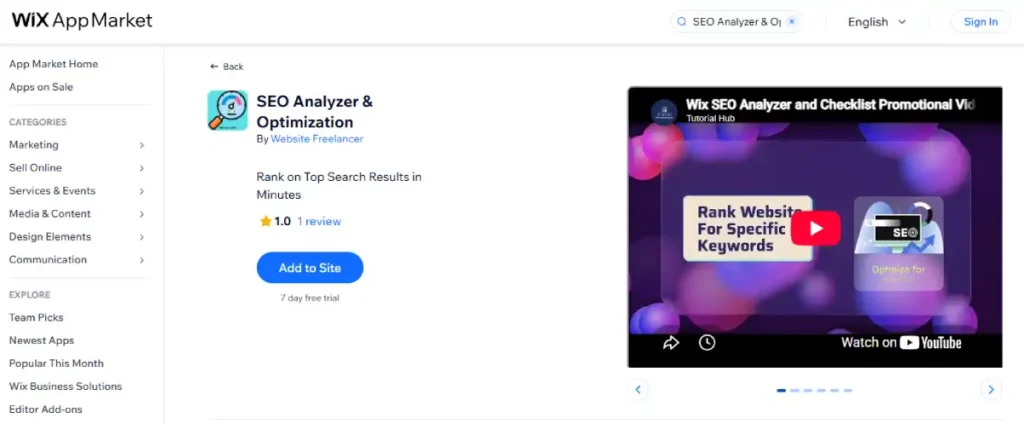
App recommendation: SEO Analyzer & Optimization, available on the Wix App Market, includes an on-page SEO analyzer with a guided checklist that flags heading structure issues alongside readability and image SEO checks.
Wix’s own native SEO Setup Checklist, found under Marketing & SEO, also surfaces some basic on-page issues and integrates Semrush keyword suggestions, worth running before installing a third-party app.
11. Internal Linking
What it is. Links from one page to another. The strongest signal you control for telling crawlers what a page is about and how important it is.
Does Wix handle it. No native tooling. Links are added manually wherever you place text or button elements.
How to set it up.
- While editing any text block, blog post, or product description, highlight the text you want to link
- Use the link tool in the formatting toolbar
- Select the internal page or product to link to
- Repeat deliberately across blog posts linking to relevant products, and product pages linking to related products or categories
How to customize it. Fully manual, standard hyperlink insertion, no automation.
Limitation. No automatic internal link suggestions or orphaned-page detection specific to Wix was confirmed.
App recommendation: SEO Analyzer & Optimization includes an internal link analyzer as one of its features, useful for spotting pages with few or no internal links pointing to them.
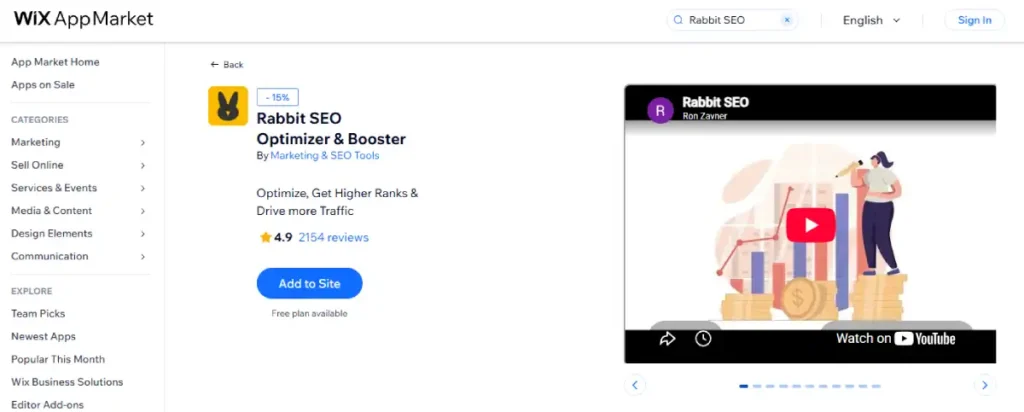
Rabbit SEO, with over 2,000 Wix App Market reviews, also covers on-page audits including link structure as part of its broader SEO monitoring.
12. Structured Data (JSON-LD)
What it is. Machine-readable annotations describing page content using the schema.org vocabulary. JSON-LD is the format search engines and AI agents expect.
Does Wix handle it. Yes, fully, and this is a real strength. Automatic Product schema (price, availability, rating), Article schema for blog posts, and Local Business schema when an address is set, all without manual code.
How to set it up (defaults). Nothing required, this generates automatically once products, blog posts, or business details exist.
How to customize or extend it.
- Open the specific page or product
- Click Edit SEO Settings
- Go to the Structured Data tab (may appear under Advanced SEO depending on page type)
- Click Add Markup to include custom JSON-LD beyond Wix’s automatic defaults
Limitation. Wix documents a roughly 7,000-character limit per structured data block, a real ceiling worth knowing before building extensive custom markup.
App recommendation: For deeper or specialized schema beyond Wix’s automatic types, Schema | Google SEO (JSON-LD) by MakkPress Technologies, available on the Wix App Market, adds structured data for Product, Service, and Article types with a simple setup, though its free tier supports a limited number of URLs.
To audit what schema is already present and catch errors, Rich Snippet Checker, also by MakkPress Technologies, is a free diagnostic tool that scans your pages for structured data errors, missing required fields, and rich result eligibility across Product, FAQ, Article, and Sitelinks types.
It does not inject markup automatically, it only reports issues for you to fix using the native tools above.
13. Breadcrumbs
What it is. A short trail showing a page’s position in the site hierarchy, visible in the UI for users, marked up as BreadcrumbList JSON-LD for search engines.
Does Wix handle it. The visible trail is available as a native design element. The structured data behind it is not confirmed to generate automatically.
How to set up the visible breadcrumb trail.
- In the Wix Editor, click Add Elements
- Go to Menu & Anchor
- Select Breadcrumbs
- Drag it onto your category or product page template, it will automatically reflect that page’s position in your site structure
How to add the matching schema markup. Since automatic BreadcrumbList JSON-LD is not confirmed, use the same custom structured data tool from item 12, Edit SEO Settings, then Structured Data, then Add Markup, to manually add BreadcrumbList schema matching your visible trail.
Alternatively, the Schema | Google SEO (JSON-LD) app referenced above can help generate this markup without hand-writing JSON-LD.
Limitation. Unlike Product or Article schema, breadcrumbs do not appear to be generated automatically. Treat this as a manual or app-assisted task, not an assumed default.
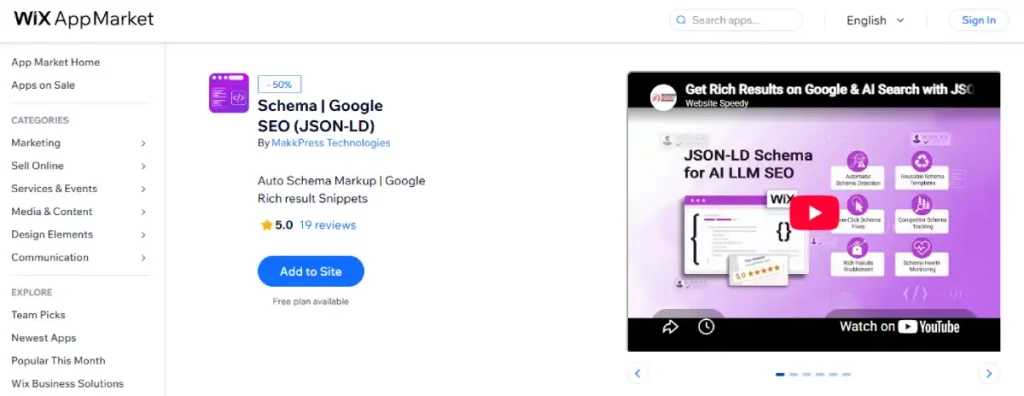
App recommendation: Schema | Google SEO (JSON-LD) by MakkPress Technologies for generating the markup, Rich Snippet Checker for confirming it validates correctly afterward.
14. IndexNow
What it is. An open protocol for telling participating search engines that a URL has changed. One request pushes Bing, Yandex, Naver, and Seznam to recrawl, Google does not participate.
Does Wix handle it. Yes, fully, natively.
How to set it up. No setup required, Wix implements IndexNow automatically and notifies participating engines when content changes.
How to customize it. Not applicable, it runs automatically in the background.
Limitation. Google does not participate in IndexNow on any platform. This speeds up Bing and secondary engine indexing specifically, it has no effect on how quickly Google indexes your changes.
App recommendation: None needed.
What This Adds Up To
Nine of the fourteen requirements are fully handled by Wix without manual setup: robots.txt, XML sitemaps, meta robots controls, structured data, and IndexNow among them.
Two are handled but carry a real default flaw worth fixing directly, URL structure and redirects.
Three are either unconfirmed or explicitly manual, sitemap index files, heading hierarchy, and internal linking chief among them.
The pattern is consistent. Wix automates the technical plumbing well, the parts easy to get wrong through neglect, robots directives, schema markup, noindex on thin pages.
It leaves the structural and strategic parts, heading discipline, internal link architecture, breadcrumb markup, to the store owner, whether through manual work or one of the apps named above.
Speed, in Context
Technical SEO checklist compliance is not the same as page speed, and Wix’s real-world numbers are worth stating plainly.
| Platform | Mobile PageSpeed (typical) | Core Web Vitals Pass Rate |
|---|---|---|
| Wix eCommerce | 52 to 68 | Not separately tracked in available 2026 data |
| Shopify (out of box) | 65 to 80 | 58 to 72 percent |
| WooCommerce (shared hosting) | 35 to 55 | Roughly 32 percent overall |
| WooCommerce (top-quartile managed hosting) | Competitive with or above Shopify | 78 percent, highest of any platform measured |
Wix’s closed infrastructure produces a narrower speed range than either open-platform competitor, better than the worst WooCommerce stores, behind the best ones, without the ceiling a properly hosted WooCommerce or Shopify store can reach.
The Verdict
For most small and mid-sized stores, Wix’s technical SEO foundation is meaningfully solid. Nine of fourteen core requirements are handled automatically, correctly, and without a plugin. That is not a marginal result, and every setup step above can be completed in under an hour total.
The gaps that remain, sitemap index files, image and video sitemap extensions, confirmed breadcrumb automation, matter mainly to large or highly competitive stores where every technical signal is optimized deliberately.
For everyone else, fixing the URL prefix default, applying basic heading discipline, and installing one or two of the apps named above closes most of the practical distance between Wix and an open platform’s technical SEO ceiling.
FAQ’s
Does Wix support structured data automatically?
Yes. Wix generates Product schema with price, availability, and rating data, Article schema for blog posts, and Local Business schema automatically, in JSON-LD format, without manual code. Custom markup can be added through SEO settings, up to a roughly 7,000-character limit per block.
Does Wix use server-side rendering?
Wix uses dynamic rendering, serving search engine crawlers a pre-rendered HTML snapshot on request. This is a real, Google-accepted technique but is a different mechanism from true server-side rendering applied to every visitor.
Can I control which Wix pages get indexed?
Yes, in detail. Every page has an Advanced SEO tab with noindex, nofollow, nosnippet, and related meta robots controls, found under Edit SEO Settings on any page. Wix also automatically applies noindex to low-value page types like blog archive and tag pages by default.
Does Wix support IndexNow?
Yes, natively, notifying Bing, Yandex, and other participating search engines automatically when content changes. Google does not participate in the IndexNow protocol on any platform.
Does Wix generate breadcrumb structured data automatically?
Not confirmed. The visible breadcrumb trail is a native design element you can drag onto any page, but the matching BreadcrumbList schema is not confirmed to generate automatically. Add it manually or with a schema app like Schema | Google SEO (JSON-LD).
What Wix apps actually help with SEO gaps?
For on-page audits and heading checks, SEO Analyzer & Optimization or Rabbit SEO. For custom schema and breadcrumb markup, Schema | Google SEO (JSON-LD) by MakkPress Technologies. For auditing existing schema for errors, Rich Snippet Checker, also by MakkPress. For keyword research and monitoring, SE Ranking.