
Reviewed by the eComGuider team. We have run live paid stores on both Wix and WooCommerce as part of our published testing methodology, and we rebuild our platform cost models every quarter using current pricing.
If you only have ten seconds:
Wix is better if you want a store live fast with no technical work.
WordPress, running the WooCommerce plugin, is better if you want full control over your store and are willing to manage hosting and updates yourself.
One thing to clear up first. WordPress by itself is not a store. It is a content management system, a tool for building and managing a website.
To sell products, you add WooCommerce, a free plugin, plus a hosting plan. So this comparison is really Wix (one hosted system) against WordPress plus WooCommerce plus hosting (three separate pieces you put together).
Key Takeaways
- Wix bundles hosting, security, and checkout into one monthly fee. WordPress needs you to buy hosting and set up WooCommerce yourself.
- Wix does not charge a transaction fee on paid plans. A lot of comparison articles online still say it does. That stopped being true after Wix’s 2025 pricing change.
- Under about $5,000 a month in sales, WordPress usually costs less in pure dollars, but it takes real hours to set up and keep running.
- Over about $25,000 a month, WordPress often costs more than Wix once you add hosting and developer help. Wix stays at a flat price.
- WordPress wins on SEO and blog content. Wix has closed most of its old SEO gaps but still cannot match full URL and schema control.
- Wix wins on setup speed and daily ease of use. There is no server, no plugin update, and no code to manage.
- Neither platform is better on its own. The right pick depends on your catalog size, your budget, and whether you have a developer.
Quick Verdict
Choose Wix if you want a working store this week, you have no developer, and your catalog is small to medium sized.
Choose WordPress with WooCommerce if SEO and content are your main growth channel, your catalog is large or unusual, or you already have a developer on hand.
Who Wins Each Category
Here is how the two platforms stack up, category by category. Read the full breakdown below the table for the reasoning behind each pick.
| Category | Wix | WordPress (WooCommerce) | Winner |
|---|---|---|---|
| Setup speed | Live in hours | Days to weeks | Wix |
| Hosting and security | Fully included | You buy and manage it | Wix |
| Cost under $5,000/month | $348 to $468 a year | $200 to $1,100 a year | WordPress |
| Cost over $25,000/month | Flat fee, up to $1,908 a year | Often $3,000 to $6,000+ a year with hosting and a developer | Wix |
| Checkout | Fast, built in | Fully customizable, but takes setup | Tie |
| Catalog size | Up to 50,000 products | No hard limit | WordPress |
| SEO and content | Strong for small catalogs | Full control, the strongest of any platform | WordPress |
| Customization | Limited to the App Market and templates | Unlimited with code and 59,000+ plugins | WordPress |
| Ongoing maintenance | None, handled by Wix | Your job, or your developer’s | Wix |
WordPress wins more categories on paper, but the categories where Wix wins (setup, security, and maintenance) are the ones that matter most to a store owner with no technical background or no time to spare.
Wix vs WordPress: Feature by Feature
Hosting and Setup
What this needs:
- A place for the store to live
- An SSL certificate for secure checkout
- Backups in case something breaks
- A fast server so pages load quickly
Does Wix handle it:
- Yes, all of it is included in every paid plan
- Hosting, SSL, backups, and a global content delivery network come as standard
- You never pick a server, a data center, or a hosting company
- There is nothing to set up beyond choosing your plan
Does WordPress handle it:
- Not on its own, hosting is a separate purchase
- Shared hosting starts around $10 to $30 a month, fine for a very small store
- Managed WordPress hosting built for WooCommerce, such as Cloudways, Kinsta, or WP Engine, runs $30 to $100 a month
- Poor hosting is the single biggest cause of a slow or crashing WooCommerce store
Winner: Wix. There is no decision to make and nothing to configure.
Ease of Use
What this needs:
- A way to build pages without writing code
- Clear steps for adding products, prices, and images
- A short learning curve for a first-time store owner
Does Wix handle it:
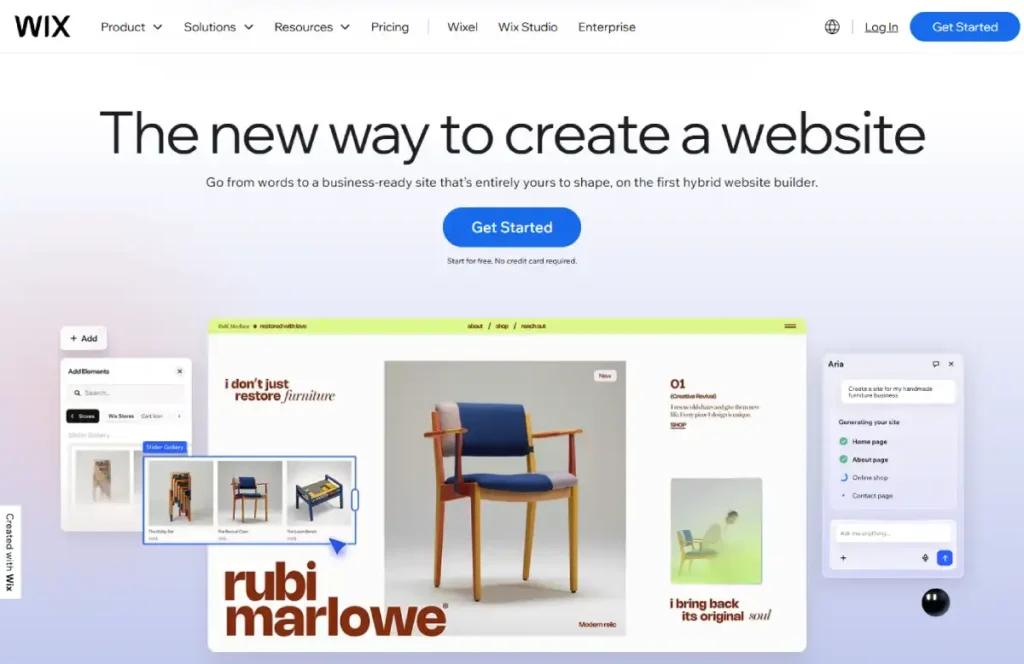
- Yes, the editor works by dragging and dropping elements onto the page
- What you see while editing is what customers will see
- Wix Harmony, its AI builder, can generate a first draft of the site from a short written description
- Most small stores can go from empty to live within a single day
Does WordPress handle it:
- Not for beginners, there are more moving parts
- You install WordPress, then install WooCommerce on top of it
- You then pick a theme, and set up payment, shipping, and tax by hand or with extra plugins
- A first-time user should expect several days to a few weeks before the store is fully ready
Winner: Wix. If you have never built a website before, this gap matters more than the price difference.
Checkout and Conversion Tools
What this needs:
- A checkout that loads fast and feels trustworthy
- Support for common payment methods
- Tools like abandoned cart emails and upsells to recover lost sales
Does Wix handle it:
- Yes, the native checkout is fast right out of the box
- Abandoned cart recovery and upsell prompts unlock on the Business plan and higher
- Setup takes minutes, not hours
Does WordPress handle it:
- Yes, but you build most of it yourself
- The checkout can be fully customized with code or with extensions
- The newer block-based checkout in WooCommerce has closed most of the old speed gap with hosted platforms
- Unusual checkout logic, like custom fields or complex discount rules, is only possible on WordPress
Winner: Tie. Wix wins for zero setup work. WordPress wins if your checkout needs to do something a standard platform will not allow.
Catalog and Inventory
What this needs:
- Enough room for your current product count and your next few years of growth
- Support for variants, like size and color
- A way to manage stock across more than one location, if you need it
Does Wix handle it:
- Yes, up to 50,000 products on the Core plan, unlimited on Business and above
- Product variants and basic stock tracking work well
- Multi-warehouse setups and advanced inventory rules are limited
Does WordPress handle it:
- Yes, with no hard product limit at all
- Stores with 50,000-plus products run successfully on WooCommerce when the hosting is strong enough
- High Performance Order Storage, added in WooCommerce 8.2, cut order lookup times by up to 80 percent on large stores
- Complex inventory setups, like multi-warehouse or B2B pricing tiers, are possible with extensions
Winner: WordPress. It has more room to grow into a large or complicated catalog.
SEO and Content
What this needs:
- Full control over page titles, URLs, and meta descriptions
- Structured data so search engines understand your pages
- A strong place to publish blog posts and guides alongside products
Does Wix handle it:
- Mostly, yes, and this has improved a lot in recent years
- XML sitemaps are created automatically
- Every meta title, description, and URL slug can be edited
- Structured data ships by default, and Semrush is built into the dashboard for keyword research
Does WordPress handle it:
- Yes, and this is where it leads by the widest margin
- Full control over URL structure, with no forced prefixes like /products/ or /shop/
- Plugins like Rank Math or Yoast add deep schema, canonical, and sitemap control
- WordPress powers roughly 42 percent of all websites, per W3Techs data, a scale that reflects how deep its content and SEO tools go
Winner: WordPress. If content marketing or blogging is a real part of your traffic plan, this is the deciding factor.
Customization
What this needs:
- The ability to change the design beyond a template
- The ability to add features that are not built in
- Room to connect other business tools as you grow
Does Wix handle it:
- Partly, through the Wix App Market
- The App Market covers common needs like bookings, loyalty programs, and dropshipping
- It is smaller and more closed than the WordPress plugin library
- You cannot switch templates after your site is live without rebuilding most of it
Does WordPress handle it:
- Yes, almost without limit
- Full access to the site’s HTML, CSS, and PHP code
- Access to more than 59,000 plugins in the WordPress library
- If a feature is not built in, it can almost always be added with code or an extension
Winner: WordPress. There is no practical ceiling on what you can build.
Security and Maintenance
What this needs:
- Regular security patches
- Protection against common attacks
- Someone watching for problems after launch, not just at setup
Does Wix handle it:
- Yes, automatically, with no action required from you
- Security patches and firewall protection apply to every Wix site the moment they are released
- Backups and restore points are available on paid plans
Does WordPress handle it:
- No, not by itself, this is on you or your developer
- Core WordPress updates, plugin updates, and hosting-level security are your responsibility
- An outdated plugin is the most common way a WooCommerce store gets hacked
- Skipping updates for even a few months creates real risk
Winner: Wix. This is the category where a mistake costs the most, and Wix removes the risk completely.
Total Cost
What this needs:
- A realistic yearly number, not just the plan price on the pricing page
- An honest look at hosting, extensions, and any help you need to hire
Does Wix handle it:
- Yes, in a simple and predictable way
- $348 a year on Wix Core, $468 a year on Business, or $1,908 a year on Business Elite
- No transaction fee added on top of any plan
- Cost stays flat no matter how many orders come in
Does WordPress handle it:
- It depends heavily on your size and setup
- A small WooCommerce store can run for $200 to $1,100 a year, hosting and a few plugins included
- A larger store adds managed hosting and often a developer, which can push the yearly cost well past what Wix charges
- Costs rise gradually as you add plugins, themes, and hired help
Winner: Depends on your size. See the exact numbers by revenue stage below.
Real Cost by Revenue Stage
Card processing fees run about 2.9 percent plus 30 cents per sale on both platforms, so that part is roughly equal. The real cost difference comes from the platform fee, hosting, and any help you need to hire.
- $1,000 a month in sales
- Wix Core: $348 a year, everything included
- WooCommerce: $200 to $300 a year on cheap shared hosting, plus 5 to 10 hours of setup work
- At this stage, WooCommerce is cheaper in dollars but costs real time
- $5,000 a month in sales
- Wix Business: $468 a year, adds abandoned cart recovery
- WooCommerce: $600 to $1,100 a year, needs real hosting plus one or two paid plugins
- The two platforms are close in price at this stage
- $25,000 a month in sales
- Wix Business Elite: $1,908 a year, flat, no matter how much you sell
- WooCommerce: often $3,000 to $6,000 a year, once stronger hosting and a part-time developer are added
- This is the point where Wix becomes the cheaper option
- $100,000 a month in sales
- Wix: still a flat fee, but catalog and backend limits start to show
- WooCommerce: can run several thousand dollars a month for a fully custom build
- Cost stops being the main question at this size for either platform. The real question is which platform’s limits you can live with
The Transaction Fee Myth
You will see a lot of comparisons claim WooCommerce has no transaction fees while Wix does. That used to be true, but it is not anymore.
- Wix removed all platform transaction fees from its paid plans in 2025
- Both platforms now only charge the standard card processing fee, about 2.9 percent plus 30 cents per sale
- The zero transaction fee advantage is still real when comparing WooCommerce against Shopify
- It does not apply when comparing WooCommerce against Wix
Which One Should You Choose?
| Your Situation | Best Choice | Why |
|---|---|---|
| First store, no technical skills | Wix | Fastest path to a live, working store |
| Need to launch this week | Wix | No hosting or setup delays |
| Small to medium catalog (under a few hundred products) | Wix | Simple to manage, no extra cost for scale |
| Large catalog (thousands of products) | WordPress | No hard limit, better at handling scale |
| Growth plan built on blog content and SEO | WordPress | Deeper content and search tools |
| Have a developer or plan to hire one | WordPress | Full access to code and plugins |
| Want zero ongoing maintenance | Wix | Hosting, security, and updates are automatic |
| Need a very custom checkout or store logic | WordPress | Code-level access to build anything |
| Tight budget, small store, comfortable doing it yourself | WordPress | Usually the cheaper option at this size |
| Growing fast, expecting $25,000+ a month soon | Wix | Flat cost, no rising hosting or developer bill |
Who We Recommend Wix For
- Beginners building their first store
- Service businesses that also need bookings or appointments
- Small to medium catalogs under about 50,000 products
- Anyone who wants zero time spent on hosting or security
Who We Recommend WordPress For
- Store owners with a developer, in-house or hired
- Brands that plan to grow through blogging and SEO
- Large or unusual catalogs, like subscriptions or B2B pricing
- Anyone who wants full ownership of their code and data
Frequently Asked Questions
Is Wix or WordPress better for eCommerce?
It depends on your technical skills and catalog size. Wix is better for a fast, low-effort launch under about $5,000 a month in sales. WordPress with WooCommerce is better once you need deep SEO, a large catalog, or full control over your store.
Does Wix charge transaction fees on sales?
No. Wix does not charge a platform fee on any paid plan. You still pay the standard card processing fee, about 2.9 percent plus 30 cents per sale, the same range WooCommerce stores pay.
Is WooCommerce really free?
The plugin is free, but running a real store is not. Hosting, a domain, a theme, and a few plugins usually bring first-year cost to $284 to $1,264 for a small store, and official add-ons listed on WooCommerce’s pricing page typically run $29 to $299 a year each.
Can I move my store from Wix to WordPress later?
Yes. You can export your products as a CSV file and import them into WooCommerce. Customer passwords do not transfer, and your URLs will change, so you will need redirects to keep your search rankings.
Which platform is better for SEO?
WordPress has the stronger SEO tools, with full control over URLs, schema, and content. Wix has fixed most of its older SEO problems and works fine for smaller stores, but WordPress is still the better choice if content and search traffic are central to your plan.
Do I need a developer to run a WooCommerce store?
Not at a small scale, but most first-time owners underestimate the time it takes to update plugins, patch security, and fix things that break. A part-time developer becomes common once a store passes about $25,000 a month in sales.
Which platform is cheaper in the long run?
Under about $5,000 a month, WordPress is usually cheaper. Over about $25,000 a month, hosting and developer costs on WordPress often add up to more than Wix’s flat fee, though WordPress still offers more control for that extra cost.
Cost figures in this guide are checked against each platform’s own current pricing and eComGuider’s published testing methodology.
Revenue-stage estimates are eComGuider’s own calculations and should be reviewed each quarter, since hosting and plan pricing changes.