
WooCommerce has no native B2B mode. Everything wholesale, role-based pricing, purchase orders, net terms, private catalogs, comes from a plugin.
That is different from Shopify, where B2B ships as a built-in Plus feature.
This guide tests the two plugins that actually cover full B2B workflows, B2BKing and Wholesale Suite, against four scenarios a real B2B operation needs: bulk pricing by customer type, purchase order numbers at checkout, net payment terms, and role-based catalogs.
Each section shows the configuration steps and states plainly where the plugin falls short.
Table of Contents
Key Takeaways
- WooCommerce B2B is plugin-dependent. There is no built-in equivalent to Shopify Plus B2B.
- Seven plugins cover the WooCommerce B2B space with real, distinct strengths: B2BKing, Wholesale Suite, Webkul’s B2B Marketplace, Addify B2B, a $15 budget wholesale plugin, and two dedicated Request a Quote plugins.
- B2BKing costs $179 to $699 depending on license tier and covers the widest single-plugin feature set: 137+ features including a dedicated purchase order gateway and per-customer credit terms.
- Wholesale Suite is modular and has no built-in purchase order gateway or credit terms module. Neither does WholesaleX, Addify B2B, or Barn2 Wholesale Pro, only B2BKing includes both natively.
- Bulk pricing by role works cleanly in every plugin tested. Purchase orders and net terms are where the real gaps between them show up.
- Heavy dynamic pricing logic adds processing load on every page view. A B2B store at real catalog size benefits from managed WooCommerce hosting with object caching, not budget shared hosting.
- Running two B2B plugins on the same store causes pricing and checkout conflicts. Pick one.
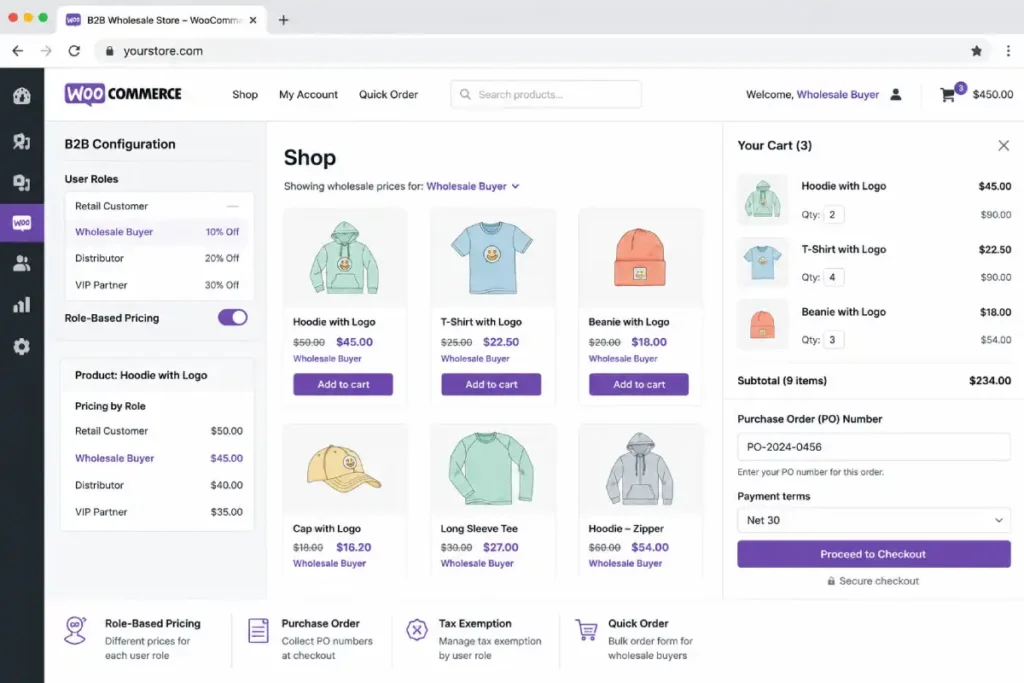
What a Real B2B Setup Actually Needs
Five capabilities separate a genuine B2B plugin from a basic discount tool.
| Requirement | Why It Matters |
|---|---|
| Role-based or group-based pricing | Different customer types (distributor, retailer, VIP) see different prices automatically |
| Registration with approval | New B2B accounts should not see wholesale pricing until approved |
| Bulk order form | Buyers reordering the same SKUs need fast entry, not one-by-one cart adds |
| Purchase order and net terms support | Procurement teams order against a PO number and pay on 30, 60, or 90-day terms, not by card at checkout |
| Catalog and price visibility control | Some products or prices should only be visible to logged-in B2B accounts |
Most WooCommerce stores adding B2B start with pricing and visibility, then discover the PO and net terms gap once a real procurement buyer asks for it.
Quick Reference: 7 WooCommerce B2B Plugins
| Plugin | Starting Price | Purchase Orders | Net Terms | Best For |
|---|---|---|---|---|
| B2BKing | $179/year | Yes, built in | Yes, Company Credit | Full B2B workflow, procurement buyers |
| Wholesale Suite | Free tier, Premium add-ons | No, needs extension | Via Stripe Invoices add-on | Simple role-based wholesale pricing |
| Webkul B2B Marketplace | $199 (CodeCanyon) | No | No | Multi-vendor B2B marketplaces |
| Addify B2B for WooCommerce | Confirm on vendor site | No | Tax exemption workflow, not credit terms | Tax-exempt B2B buyers, quote-based selling |
| WooCommerce Wholesale Pricing (code_den) | $15 (CodeCanyon) | No | No | Micro-stores on a minimal budget |
| B2B Request a Quote (WooCommerce.com) | Confirm on vendor site | No | No | Quote-first businesses, negotiated pricing |
| Addify Request a Quote | Confirm on vendor site | No | No | Standalone quote system, lighter than a full B2B suite |
Two of these, B2BKing and Wholesale Suite, cover the broadest range of B2B workflows and are tested against real scenarios below. The other five solve narrower problems well and are profiled after that testing section.
Methodology: How We Rated These Plugins
Each plugin was scored against five criteria specific to real B2B operations, not general plugin quality.
- Feature completeness for procurement workflows: PO checkout, net terms, credit limits
- Pricing and visibility flexibility: role-based, per-customer, category-level control
- Performance impact: how much query load the plugin’s rules engine adds at catalog scale
- Update frequency and vendor track record: release cadence and years in the WooCommerce ecosystem
- Value at the price point: what a store gets per dollar relative to the alternative
The scenario tests further down this guide, bulk pricing, purchase orders, net terms, and private catalogs, are where these criteria were actually checked against each plugin’s real settings screens, not just vendor marketing pages.
Plugin Profiles
B2BKing
eComGuider rating: 4.6/5
Pricing:
- Single site: $179/year (introductory rate, renews at full price)
- 3 sites: $249/year
- Unlimited sites: $399/year
- Lifetime license: from $699
- Free version available on WordPress.org, 10,000+ active installs
Pros:
- Widest single-plugin feature set of any WooCommerce B2B tool, 137+ features
- Built-in purchase order gateway, no separate extension needed
- Company Credit module handles net terms with automated credit-limit enforcement
- Customer Price Lists give per-customer pricing with bulk CSV import and export
- Dedicated hybrid B2B and B2C mode with separate inventory pools
- 25+ dynamic pricing rule types, including payment-method surcharges and shipping restrictions
- Frequent updates, 135+ versioned releases since 2020, new features shipped monthly
Cons:
- Renewal pricing after the introductory year is a meaningful jump for single-site users
- Settings area is dense; the breadth of features means a longer learning curve than a narrower plugin
- Overkill for a store that only needs a single wholesale price tier
Performance notes:
- The dynamic rules engine evaluates pricing and visibility on every relevant page load
- Real query load appears on large catalogs with multiple customer groups active at once
- Object caching on managed hosting handles this load far better than budget shared hosting
- Recommended once your catalog or customer group count grows past a small starting setup
Why we recommend it: B2BKing is the only plugin in this comparison with a native purchase order gateway and automated credit-limit enforcement, the two features that separate a basic wholesale pricing tool from a plugin that can actually serve procurement-driven B2B buyers.
For a store that expects to take PO-based orders or extend net terms, this removes the need to stitch together a separate extension.
Best for: Stores selling to procurement teams, distributors, or any buyer who orders against a PO number or expects net payment terms.
Wholesale Suite
eComGuider rating: 4.0/5
Pricing:
- Free tier: basic wholesale price field, one wholesale role, WordPress.org, 25,000+ active installs across free and paid combined
- Premium add-ons and bundle pricing: confirm current rates directly on the vendor site, figures varied across sources during our research
Pros:
- Free tier is usable for a store just adding a first wholesale price tier
- Modular structure means you pay only for the add-ons you actually need
- Unlimited wholesale role tiers on the Premium add-on, each with independent pricing rules
- Long track record, 8-plus years in the WooCommerce ecosystem
- Simpler settings area than B2BKing, faster to configure for a narrow use case
Cons:
- No built-in purchase order gateway; procurement-style checkout requires a separate extension
- No dedicated credit-limit enforcement feature; net terms depend on the Stripe Invoices-based payment terms add-on
- Per-customer price overrides are not natively supported the way B2BKing’s Customer Price Lists handle them
- Full feature parity with B2BKing requires purchasing multiple separate add-ons or the bundle, at which point the pricing gap narrows
Performance notes:
- Base wholesale pricing logic is lighter than B2BKing’s full rules engine
- Fewer simultaneous rule types run by default, so overhead is lower on a small setup
- Adding the full add-on bundle brings the performance profile closer to a full B2B plugin
- The same object-caching recommendation applies once the bundle is fully active
Why we recommend it: Wholesale Suite is the right starting point for a store that wants role-based wholesale pricing without committing to a full B2B platform on day one.
The free tier proves out the concept before any money changes hands, and the modular add-ons let a store add order forms or lead capture only once it is clear they are needed.
Best for: Stores with a simple wholesale pricing need, no procurement-style PO checkout, and a preference for paying only for features actually in use.
Webkul B2B Marketplace for WooCommerce
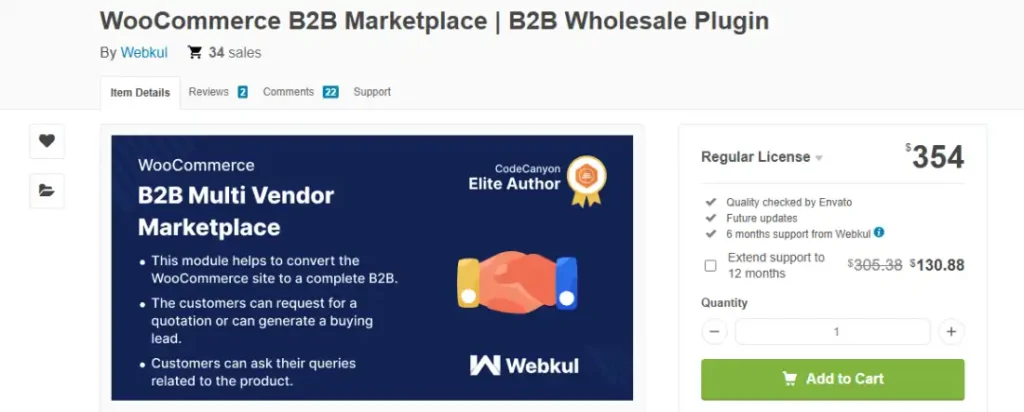
eComGuider rating: 3.8/5
Pricing:
- $354 (CodeCanyon, single item license)
- 34 sales on CodeCanyon at time of review
- Requires Webkul’s base Multi Vendor Marketplace plugin as a dependency, sold separately
Pros:
- The only plugin in this comparison built for a multi-vendor B2B marketplace rather than a single store selling wholesale
- Built-in quote system, buyer-seller chat, and CSV-based quick order for bulk buyers
- Tiered pricing and per-vendor commission management included
- B2B-specific shipping methods: local pickup and flat rate configured per vendor
Cons:
- Not standalone; the base marketplace plugin is a separate purchase, raising the real entry cost
- Built for multi-supplier marketplaces, overkill and the wrong tool for a single-store wholesale setup
- Smaller sales volume (34) means less public documentation and fewer third-party reviews than the other plugins here
Performance notes:
- Marketplace-style plugins carry more inherent complexity than a single-store pricing plugin, since every page needs to resolve vendor, commission, and role data
- Apply managed hosting with object caching from the start rather than retrofitting it later, marketplace catalogs tend to grow faster than single-store ones
Why we recommend it: This is the right answer to a question none of the other plugins in this guide solve: what if your B2B operation is not one company selling wholesale, but a marketplace where multiple approved suppliers sell to business buyers. Nothing else profiled here does that natively.
Best for: Stores building a true multi-vendor B2B marketplace rather than a single-company wholesale operation.
WooCommerce Wholesale Pricing (code_den)
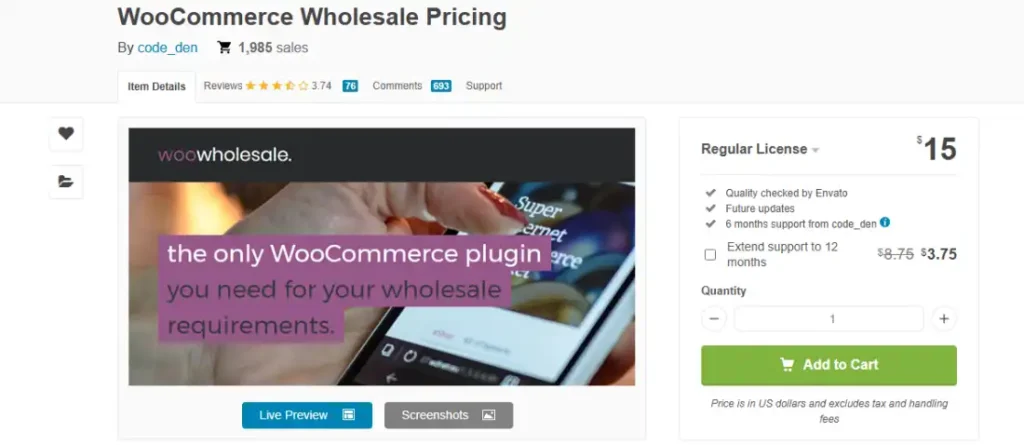
eComGuider rating: 3.2/5
Pricing:
- $15 one-time (CodeCanyon)
- Approximately 2,000 sales, 3.74/5 average from 76 reviews
- A separate registration-approval add-on is sold independently
Pros:
- The lowest-cost entry point in this entire comparison by a wide margin
- Covers the core requirement, wholesale price by user role, on both simple and variable products
- Includes free shipping override and minimum and maximum order amount per role
- Long sales history and a large volume of reviews relative to its price point
Cons:
- Last confirmed changelog update is from 2020, a real concern for compatibility with current WooCommerce versions and HPOS
- No purchase orders, no net terms, no quote system, no visibility or catalog controls beyond basic pricing
- Registration approval requires a separate paid add-on, adding to the real cost
- Given the update gap, test thoroughly on a staging site before relying on this for a live B2B operation
Performance notes:
- Minimal by design, a single pricing field per role adds negligible page-load overhead compared to a full rules engine
- The performance advantage does not offset the compatibility risk from an apparently unmaintained codebase
Why we recommend it: Only for a specific case: a very small store that needs nothing beyond a wholesale price per role and wants to spend as little as possible to get there.
The unconfirmed update history means this is not a plugin to build a serious B2B operation on without direct verification of current compatibility first.
Best for: Micro-stores testing basic role-based wholesale pricing at minimal cost, not a long-term B2B foundation.
Addify B2B for WooCommerce
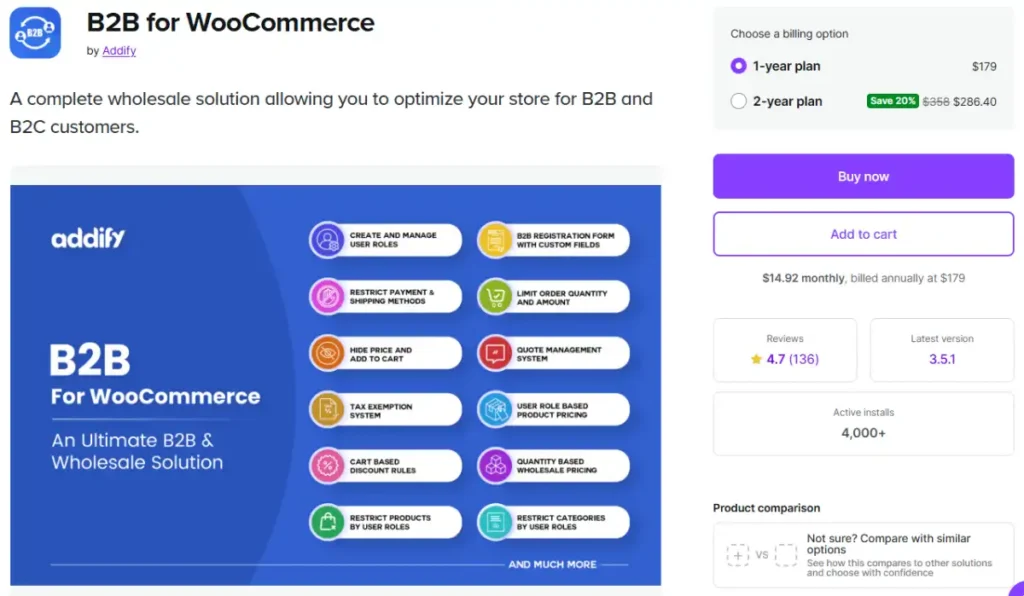
eComGuider rating: 4.0/5
Pricing:
- Confirm current pricing directly on Addify’s site, figures were inconsistent across sources during our research
- Trusted by 10,000+ users per the WooCommerce Marketplace listing, 4.7 average rating
- Part of Addify’s broader catalog, used by 250,000+ customers across all their plugins combined
Pros:
- Strong tax exemption workflow, including VAT number and certificate upload for auto-approval
- Built-in quotation system with PDF generation and customizable templates
- Role-based and individual customer pricing included
- Restrict payment and shipping methods per user role
Cons:
- No native purchase order gateway comparable to B2BKing’s
- No dedicated credit-limit or net-terms module
- Pricing not clearly published in a single location, requiring a direct vendor check
Performance notes:
- Tax exemption and quotation workflows add processing steps at checkout rather than on every page load
- Overall page-load impact is lower than a full dynamic-pricing rules engine like B2BKing’s, since fewer real-time price calculations run by default
Why we recommend it: Addify B2B is a strong fit specifically for a store where tax-exempt B2B buyers (resellers with a valid VAT number) are the primary use case, since the exemption workflow is more developed here than in either B2BKing or Wholesale Suite.
Best for: Stores with a meaningful share of tax-exempt B2B buyers and a preference for quote-based rather than PO-based ordering.
B2B Request a Quote (WooCommerce.com) and Addify Request a Quote
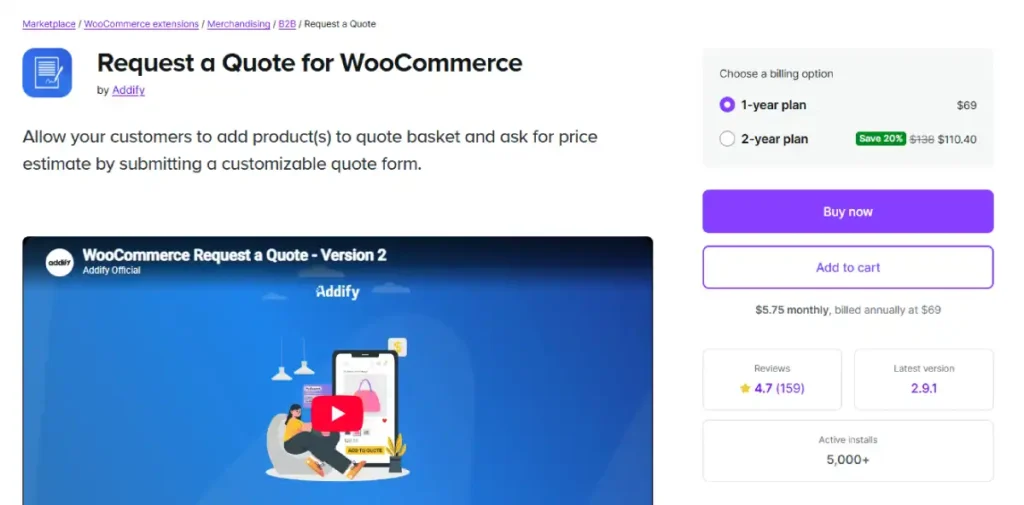
eComGuider rating: 3.8/5
Pricing:
- Confirm current pricing on the respective vendor listings
- Addify’s standalone Request a Quote plugin: 15,000+ users, 4.8 average rating on the WooCommerce Marketplace
Pros:
- Purpose-built for quote-first, negotiation-based selling rather than fixed wholesale pricing
- PDF quote generation with an Accept and Checkout link for fast conversion
- Rules-based quote button visibility by user role, guest, or product
- Multi-product quote baskets so buyers can request pricing on an entire order at once
Cons:
- Not a full B2B platform; no role-based wholesale pricing, no PO gateway, no net terms
- Best paired with a separate pricing or catalog plugin for a complete B2B setup
- Two similarly named products (WooCommerce.com’s listing and Addify’s standalone plugin) can cause confusion when comparing feature sets
Performance notes:
- Lightweight relative to a full B2B suite, since quote logic only activates on quote-enabled products rather than running pricing calculations sitewide
Why we recommend it: For manufacturers, custom suppliers, or any business where price actually depends on negotiation rather than a fixed formula, a dedicated quote plugin handles that workflow better than bolting a quote feature onto a pricing-first B2B plugin.
Best for: Custom-order and negotiated-pricing businesses where a fixed wholesale price does not fit the sales model.
Testing Four Real B2B Scenarios
The two broadest plugins, B2BKing and Wholesale Suite, were tested directly against four situations a real B2B operation runs into. This is where feature lists stop being theoretical.
Scenario 1: Bulk Pricing by Customer Role
The requirement. A distributor sees 40 percent off retail. A retail reseller sees 20 percent off. A VIP wholesale account sees a negotiated flat price. All three need to see the correct price automatically based on who they are, without manual intervention.
How B2BKing handles it. Create customer groups under the B2BKing panel (for example Distributor, Retailer, VIP). Once groups exist, price fields for each group appear automatically on every product and variation. Set the price per group, per product, and save.
How Wholesale Suite handles it. The free plugin supports one wholesale role with a single price per product. Wholesale Prices Premium adds unlimited role tiers, each with its own percentage or fixed pricing rules, applied globally, by category, or per product.
Where it holds up. Both plugins handle this scenario cleanly. Neither breaks on standard role-based pricing, even across simple and variable products.
Where it gets harder. Per-customer pricing, one specific account negotiated a rate different from their group, is where the gap opens. B2BKing’s Customer Price Lists feature handles this with a dedicated interface for per-customer, per-product pricing, including bulk CSV import and export. Wholesale Suite’s role system does not natively support per-customer overrides; achieving the same result requires either a manual coupon per customer or a separate extension.
Scenario 2: Purchase Order Numbers at Checkout
The requirement. A procurement buyer needs to check out using an internal PO number rather than a credit card, with the order recorded against that PO for their accounts payable process.
How B2BKing handles it. B2BKing includes a dedicated Purchase Order gateway as a built-in payment method. Enable it under B2BKing settings, restrict it to approved B2B groups, and buyers see a PO Number field at checkout instead of a card form. Recent versions also support PO file uploads attached to the order.
How Wholesale Suite handles it. There is no built-in PO gateway in the base plugin. The closest equivalent comes through the Wholesale Suite bundle’s payment terms functionality, which is invoice-based (Stripe Invoices) rather than a native PO field.
A store needing a literal PO number field at checkout without a full invoicing workflow will need a separate custom fields plugin or a developer to add one.
Where it breaks. This is the single clearest gap between the two plugins. A store whose B2B customers specifically require PO-based checkout, common in procurement-driven B2B, is better served by B2BKing out of the box.
Scenario 3: Net Payment Terms (NET 30/60/90)
The requirement. An approved wholesale account should be able to place an order and pay within 30, 60, or 90 days rather than at the point of sale, with a credit limit that prevents them from over-ordering against unpaid balances.
How B2BKing handles it. The Company Credit module lets an admin set a credit limit per customer or company account. Orders placed within that limit process without upfront payment; the balance is tracked and invoiced separately.
This pairs with the Invoice Payment gateway for formal net-terms billing.
How Wholesale Suite handles it. Payment terms come through the bundle’s dedicated extension, built on Stripe Invoices, supporting NET30/60/90 configurations, deposit amounts, and partial payments.
It covers the core net-terms use case but does not include a standalone credit-limit enforcement feature the way B2BKing’s Company Credit does.
Where it holds up. Both plugins can get a store to functional net-terms billing. B2BKing’s version includes credit-limit enforcement as a first-class feature; Wholesale Suite’s version is invoice-focused and slightly less automated on the credit-control side.
Scenario 4: Role-Based and Private Catalogs
The requirement. Some products, or entire categories, should be completely invisible to retail visitors and only appear once a B2B account logs in. Prices for other products should show only after login, with a login prompt in place of a price for guests.
How B2BKing handles it. The visibility module controls this at the global, category, product, or user-group level. A store can hide specific products completely from guests and specific groups, or run the whole site as B2B-only, with content-restriction shortcodes available for showing different page content to B2B versus B2C visitors on the same URL.
How Wholesale Suite handles it. The base plugin supports hiding retail pricing behind a login link, effectively creating a private store for non-logged-in visitors. Granular per-category or per-product visibility rules are more limited than B2BKing’s group-and-category matrix.
Where it holds up. Both plugins handle the common case, hide price, show login prompt, at global level well. B2BKing goes further with per-item and per-group granularity for stores running true hybrid B2B and B2C catalogs on the same site.
[IMAGE: B2BKing customer groups panel showing wholesale pricing tiers configured for distributor and retailer roles | B2BKing customer group pricing configuration panel]
Configuration Walkthrough: Setting Up Role-Based Wholesale Pricing
This is the scenario every B2B store needs first, regardless of which plugin is chosen. Steps below use B2BKing; Wholesale Suite’s flow is functionally similar with different menu names.
- Install and activate your chosen plugin through Plugins, then Add New Plugin, in your WordPress admin.
- Go to the plugin’s main settings panel and create your customer groups (for example Retailer, Distributor, VIP).
- Set an approval method for each group: automatic approval or manual review before wholesale pricing unlocks.
- Open a product’s edit screen. New price fields appear automatically for each group you created.
- Enter the wholesale price for each group, per product or per variation, and save.
- Test by registering a new account under one of your groups, logging in, and confirming the correct price displays.
- Repeat the price entry across your catalog, or use the plugin’s bulk CSV import if you have a large product count.
Set your pricing rules before importing a large catalog. Editing prices across hundreds of live products after the fact is tedious in either plugin.
Performance: What Heavy B2B Rules Cost at Scale
Dynamic, role-based pricing logic runs on every page load for every visitor, checking which group they belong to and which price rule applies.
On a small catalog this is invisible. On a store with hundreds of products, multiple customer groups, and real traffic, it adds measurable processing time.
A B2B store running either plugin at meaningful catalog size should not be on budget shared hosting. Managed hosting with object caching handles the extra query load that role-based pricing generates far better than a $3 to $10 a month shared plan.
Kinsta and WP Engine both support object caching on their WooCommerce-focused plans, the specific setting that matters for this workload.
Hostinger is a lower-cost option worth weighing against your catalog size before committing to a higher tier.
WooCommerce B2B vs Shopify B2B
| Factor | WooCommerce (B2BKing) | Shopify B2B |
|---|---|---|
| Native B2B support | No, plugin required | Yes, built into Shopify Plus |
| Entry cost | $179/yr plugin + $25 to $80/mo hosting | Shopify Plus starts around $2,300/mo |
| Purchase order support | Yes, built into B2BKing | Yes, native |
| Net terms | Yes, via Company Credit | Yes, native |
| Setup complexity | Higher, plugin configuration and hosting management | Lower, native admin settings |
| Best for | Stores testing B2B before committing to enterprise spend | Established B2B operations already on Shopify Plus |
The cost gap is the real story here. A WooCommerce B2B setup with B2BKing runs a few hundred dollars a year in plugin cost plus hosting. Shopify’s native B2B requires Shopify Plus, which starts in the thousands per month.
For a store validating whether B2B demand exists before committing to that spend, WooCommerce is the lower-risk starting point.
FAQ
What is the best WooCommerce B2B plugin?
B2BKing covers the widest range of B2B functionality in one plugin, including a purchase order gateway and credit terms, at $179 to $699 depending on license tier. Wholesale Suite suits stores wanting simpler role-based wholesale pricing without the full B2B feature set.
Does WooCommerce support B2B natively?
No. WooCommerce has no built-in B2B mode. Role-based pricing, purchase orders, net terms, and private catalogs all require a plugin such as B2BKing or Wholesale Suite.
Can WooCommerce handle purchase orders?
Yes, with the right plugin. B2BKing includes a dedicated purchase order gateway as a built-in payment method. Wholesale Suite does not include this natively and requires an invoice-based payment terms extension instead.
Can I run B2B and B2C on the same WooCommerce store?
Yes. Both B2BKing and Wholesale Suite support hybrid stores where retail customers see standard pricing and approved B2B accounts see wholesale pricing after login. B2BKing’s hybrid mode is more developed, with separate inventory pools and per-group content restrictions.
How much does a WooCommerce B2B plugin cost?
B2BKing runs $179 to $399 per year depending on site count, or $699 for a lifetime license. Wholesale Suite is priced per add-on or as a bundle, confirm current pricing directly on the vendor’s site since it varies by configuration.
Can I use two B2B plugins together?
This is not recommended. Running two B2B plugins on one WooCommerce store creates conflicts over pricing rules, user roles, and checkout behavior. Choose the plugin that covers your required scenarios and configure it fully rather than combining two.
Does a WooCommerce B2B plugin slow down my store?
It can, if heavy dynamic pricing logic runs unoptimized on every page load. This is manageable with proper caching and managed hosting, but a budget shared hosting plan will show the slowdown on a large catalog with multiple customer groups.
Pick the plugin that matches your actual buyer workflow, not the one with the longest feature list. A store with simple wholesale pricing and no procurement buyers rarely needs a purchase order gateway. A store selling to distributors who order against a PO number will feel the gap immediately without one.