
Reviewed by the eComGuider team. We ran a live Squarespace 7.1 store through a full technical SEO checklist, item by item, to see what the platform handles on its own, what it genuinely cannot do, and which real extensions close the gap.
Squarespace handles more technical SEO natively than most people expect, and less than most Squarespace sales pages imply.
This guide works through all 14 core technical checks that actually decide whether a store gets found, one at a time.
For each one: what it is, whether Squarespace does it natively, what’s missing, the exact steps to fix it, and which real Squarespace extension to use when the platform cannot do it alone.
Table of Contents
Key Takeaways
- Squarespace handles the basics well by default: clean HTML, automatic sitemaps, server-side rendering for most content, and editable meta tags on every page.
- The biggest native gap is structured data. Squarespace auto-generates six schema types (Website, Blog post, Product, Event, Local business, Organization) but nothing for FAQs, reviews, or breadcrumbs, without manual code or an extension.
- robots.txt cannot be edited directly, and no extension fixes this. You get two checkboxes for blocking AI crawlers and nothing else.
- Product URLs always include a forced
/p/segment. No extension can remove this either. It is a hard platform limit. - IndexNow is not supported natively at all. A handful of real third-party tools cover it, but there is no official Squarespace Extension for it yet.
- Out of 14 checks: 5 are fully native, 6 are partial and fixable with an extension or Code Injection, and 3 are genuine platform ceilings with no real workaround.
Quick Verdict
Squarespace is genuinely solid for the SEO fundamentals most small stores need: clean code, working sitemaps, fast server-rendered pages, and editable metadata. It falls short the moment you need fine-grained control: custom robots.txt rules, advanced structured data, or IndexNow.
For a catalog under a few hundred products, especially the kind of visual, design-led shop common among artists and creatives, the native tools plus one or two extensions cover almost everything in this checklist.
The Full Checklist at a Glance
| # | Check | Spec Priority | Native Support | Fixable with an Extension? |
|---|---|---|---|---|
| 1 | robots.txt | Recommended | Checkbox-only | No, hard platform limit |
| 2 | XML sitemaps | Recommended | Full | Not needed |
| 3 | Sitemap index files | Recommended | None | No, hard platform limit |
| 4 | Image and video sitemap extensions | Optional | Partial, images only | Not needed |
| 5 | URL structure | Recommended | Partial | No, /p/ is fixed |
| 6 | Redirects (301/302/308) | Required | Full | Not needed |
| 7 | Server-side rendering | Recommended | Mostly native | Not needed |
| 8 | Soft 404s | Avoid | Real risk | Not needed, use settings |
| 9 | Meta robots and X-Robots-Tag | Required | Partial | Not usually needed |
| 10 | Heading hierarchy | Required | Tools exist, no enforcement | Not needed |
| 11 | Internal linking | Recommended | Manual only | Partially, SEOSpace helps |
| 12 | Structured data (JSON-LD) | Recommended | Partial, 6 types | Yes, manual JSON-LD via Code Injection |
| 13 | Breadcrumbs | Recommended | Visual only, no schema | Yes, manual JSON-LD via Code Injection |
| 14 | IndexNow | Optional | None | Yes, IndexPlease or PageIndexer |
Group 1: Crawling and Discovery
This group covers whether search engines can find and correctly access every page on your store.
1. robots.txt
What it is:
- A plain-text file at your site’s root that tells crawlers which paths they may or may not fetch
Does Squarespace do this natively:
- Only partly
- Squarespace auto-generates a robots.txt file for every site
- You cannot edit it directly
- The only control available is in Settings, under Crawlers: two checkboxes, one to block AI crawlers and one to block all search engines
What is missing:
- Per-path control entirely
- You cannot disallow one specific folder or query parameter the way you could on WordPress or a custom-built site
Squarespace extension that fixes this:
- None. This is a genuine platform ceiling, not a solved-by-an-app problem
- We tested the common workaround ourselves: hosting a custom robots.txt file externally and redirecting to it through URL Mappings. It did not work. robots.txt is treated as a system route on Squarespace, and our test redirect was ignored every time we checked it live. Do not build a plan around this trick
How to implement it, step by step:
- Go to Settings, then Crawlers, in your Squarespace dashboard.
- Leave both checkboxes unchecked if you want every crawler, including AI crawlers, to access your site. This is the right default for most stores that want to be found and cited.
- Check the Disallow AI box only if you specifically do not want your content used for AI training or shown in AI answers.
- For anything beyond this, use per-page noindex instead of robots.txt, since that is your real lever for path-level control (covered in check 9).
2. XML sitemaps
What it is:
- An XML file listing your canonical URLs, so search engines can discover your content quickly instead of relying only on following links
Does Squarespace do this natively:
- Yes, fully
- Every site automatically generates a sitemap at yourdomain.com/sitemap.xml
- It updates on its own whenever you publish or change content
- Image metadata for each listed page is included automatically
What is missing:
- Nothing for a typical store
Squarespace extension that fixes this:
- Not needed. This one works out of the box
How to implement it, step by step:
- Confirm your site is set to Public, not private or password-protected. Sitemaps do not load on private sites.
- Visit yourdomain.com/sitemap.xml in your browser to confirm it is live and populated.
- Submit that URL to Google Search Console under Sitemaps.
- Submit the same URL to Bing Webmaster Tools.
- Re-check the sitemap after any major content change to confirm new pages appear.
3. Sitemap index files
What it is:
- A sitemap of sitemaps, used once a site passes 50,000 URLs or wants sitemaps split by content type
Does Squarespace do this natively:
- No
- Squarespace generates one flat sitemap per site, with no option to split it
What is missing:
- Any path to a sitemap index at all
Squarespace extension that fixes this:
- None exists. This is a real platform ceiling
How to implement it, step by step:
- Check whether this actually applies to you. It only matters if your store is approaching 50,000 total indexable URLs, which is extremely rare on Squarespace given its typical use case.
- If you are close to that number, trim low-value indexable pages (old event pages, expired promotions) to stay under the limit.
- For nearly every Squarespace store, this check does not apply and is not worth spending time on.
4. Image and video sitemap extensions
What it is:
- Optional XML additions that include image and video metadata inside sitemap entries, useful when media loads via JavaScript or lives on a CDN crawlers cannot reach by following links
Does Squarespace do this natively:
- Partially
- Image metadata is already included in the native sitemap automatically
What is missing:
- Video sitemap markup specifically
Squarespace extension that fixes this:
- Not needed for images
- For video, embedded YouTube or Vimeo content is indexed independently by those platforms, so this rarely matters in practice for a typical store
How to implement it, step by step:
- For images, do nothing extra. This is already covered natively.
- If you self-host video content directly, which is uncommon on Squarespace, there is no native or extension-based video sitemap option available.
Group 2: URLs and Redirects
This group covers how your URLs are built and what happens when a page moves or disappears.
5. URL structure
What it is:
- URLs are the most stable identifier on the web
- Good ones are lowercase, hyphenated, descriptive, and shallow
Does Squarespace do this natively:
- Partially
- Slugs are automatically lowercased and customizable for any page, blog post, or product
- Blog post URLs use a customizable /blog/ prefix based on your blog page’s name
What is missing:
- Full control over product URLs
- Every product URL in Squarespace 7.1 follows the pattern yoursite.com/shop-page-slug/p/product-slug
- The /p/ segment is fixed and cannot be removed on any current plan
Squarespace extension that fixes this:
- None. The /p/ segment is hardcoded into the platform’s routing and no third-party tool can remove it
How to implement it, step by step:
- Before publishing a page, product, or post, set a clean, descriptive, hyphenated slug. Do this before it goes live wherever possible.
- Rename your shop page itself to something short and relevant, since that name becomes the first URL segment for every product.
- Accept the fixed /p/ segment as a platform constraint rather than something to fight.
- Go to Settings, then Blog Preferences, to control whether the date appears in blog URLs. A clean, title-only format is generally the better SEO choice.
- If you must change a slug after a page has already been indexed, let Squarespace’s automatic redirect handle it rather than manually creating a duplicate page.
6. Redirects (301/302/308)
What it is:
- HTTP redirects that send a visitor or crawler from one URL to another
- Use 301 for permanent moves, 302 for temporary ones
Does Squarespace do this natively:
- Yes, well
- A 301 redirect is created automatically whenever you change a page’s URL slug
- Manual redirects are available through URL Mappings
What is missing:
- A distinct 308 option, though this rarely matters since 301 covers the same intent for nearly every real use case
Squarespace extension that fixes this:
- Not needed. Native redirect tools are solid
How to implement it, step by step:
- Go to Settings, then Advanced, then URL Mappings.
- For a permanent move, add a mapping in the format
/old-url -> /new-url 301. - For a temporary change, use
302instead of301in the same format. - If you moved an entire section, use the
[name]wildcard variable so every item under the old path redirects to its equivalent under the new one automatically. - Test each redirect by visiting the old URL directly after saving.
- Recheck your redirect list periodically and add new ones for anything Google Search Console flags as broken.
7. Server-side rendering
What it is:
- Crawlers and AI agents index the HTML your server returns
- Content rendered server-side is visible immediately, without requiring the crawler to execute JavaScript first
Does Squarespace do this natively:
- Mostly, yes
- Core content, text, images, and primary structure, is served as server-rendered HTML by default
What is missing:
- A handful of specific blocks render client-side instead
- The Calendar Block is the clearest example: it loads an empty wrapper first, then fetches and displays event or listing data via JavaScript afterward
Squarespace extension that fixes this:
- Not needed. Avoid putting essential, unique content only inside a known client-side block
How to implement it, step by step:
- For your core pages, product pages, and blog posts, do nothing. This is handled for you.
- Keep genuinely important content, like a full product description, in the main page body rather than inside a dynamically loaded block.
- If you use a Calendar Block for events or listings, duplicate the key information as static text elsewhere on the page if it matters for search visibility.
- Test any page you are unsure about using Google Search Console’s URL Inspection tool, which shows the rendered HTML Google actually sees.
8. Soft 404s
What it is:
- A page that looks like a not-found message to a visitor but returns a 200 OK status to a crawler
- Search engines flag these as a quality problem
Does Squarespace do this natively:
- This is a real, documented risk area, not a solved problem
- Squarespace’s own help documentation confirms that building a custom 404 page can trigger a soft 404 warning in Google Search Console
What is missing:
- Automatic prevention. The platform does not stop you from creating this exact problem, it just warns that it can happen
Squarespace extension that fixes this:
- None needed. This is fixed with a native settings toggle, not an app
How to implement it, step by step:
- Use Squarespace’s default 404 page unless you have a specific reason to customize it.
- If you do build a custom 404 page, go to its SEO settings and check Hide this page from search results.
- Never leave a deleted or expired product page live with a sold-out message and no redirect.
- When you remove a product or page permanently, either delete it properly or 301 redirect it to a relevant, live replacement.
- Periodically check Google Search Console’s Coverage report for any pages flagged as soft 404 and fix each one individually.
Group 3: Rendering and Indexing Signals
This group covers the direct instructions you give crawlers about whether to index a page.
9. Meta robots and X-Robots-Tag
What it is:
- Every page needs an explicit, correct indexing policy: either the default (index, follow) on public pages, or an explicit noindex on staging, thin, or private content
Does Squarespace do this natively:
- Partially
- Every page, post, and product has a Hide this page from search results toggle in its SEO settings, which applies a noindex directive
What is missing:
- Granular control: no nofollow, no noarchive, and no way to set the X-Robots-Tag HTTP header directly
Squarespace extension that fixes this:
- Not usually needed. The single noindex toggle covers the overwhelming majority of real use cases for a store
How to implement it, step by step:
- Open the page, post, or product you want to control.
- Go to its SEO settings panel.
- Check Hide this page from search results for anything that should not be indexed: thank-you pages, internal search results, or thin utility pages.
- Leave the toggle unchecked for every real product, category, and content page you want found in search.
- Audit this setting periodically, especially after adding new utility page types.
10. Heading hierarchy
What it is:
- Headings describe the sections of a page
- They must form a nested outline, never be used purely for visual styling, and never skip levels
Does Squarespace do this natively:
- The tools exist, but nothing enforces correct use
- The block editor lets you assign heading levels to text, but nothing stops you from picking a level purely for its visual size
What is missing:
- Any validation or warning system
Squarespace extension that fixes this:
- Not needed. This is a discipline problem, not a tooling gap
How to implement it, step by step:
- Give every page exactly one H1, typically the page or product title.
- Use H2s for your main sections underneath that.
- Use H3s only for subsections nested inside an H2, never as a way to get a specific visual size.
- Never skip a level for styling reasons. Use paragraph text with bold or a different size instead.
- Check your finished page’s source or a heading structure checker before publishing to confirm the outline nests correctly.
Group 4: On-Page Structure
This group covers how pages connect to each other and communicate their place in your site.
11. Internal linking
What it is:
- Links from one page on your site to another
- The strongest signal you directly control for telling crawlers and AI agents what a page is about and how important it is
Does Squarespace do this natively:
- Only manually
- Any content block can link to any other page
- Blog posts can be tagged and categorized to create automatic listing pages
What is missing:
- Any automation: no related-products widget, no AI-suggested links, no internal link audit tool
Squarespace extension that fixes this:
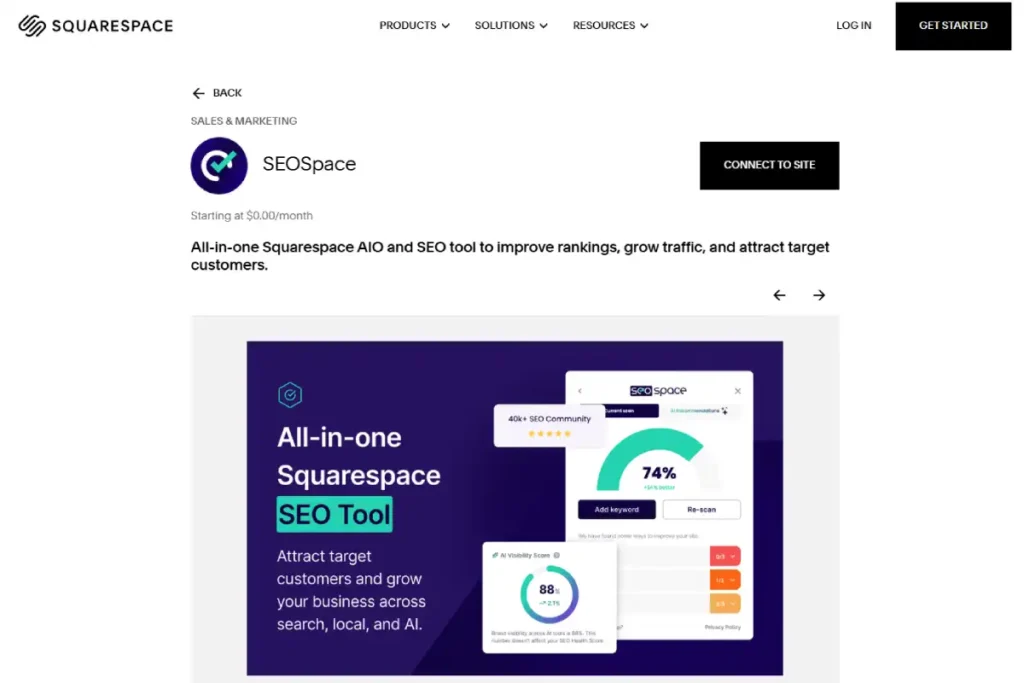
- Partially. SEOSpace, an official Squarespace Extension, includes site audit and improvement suggestions that flag pages with weak internal linking as part of its broader SEO checklist, though it does not build the links for you automatically
How to implement it, step by step:
- Identify your most important commercial pages: your best-selling products and main category or shop pages.
- From every blog post you publish, link to at least one relevant product or category page using natural, descriptive link text.
- From product descriptions, link to a relevant blog post if one exists that supports the buying decision.
- Use Squarespace’s blog category and tag pages deliberately, since they create automatic index pages that group related content.
- Revisit your top 10 highest-traffic pages every few months and check whether newer content should be linked from them.
12. Structured data (JSON-LD)
What it is:
- Machine-readable annotations describing your page’s content using the schema.org vocabulary
- JSON-LD is the format search engines and AI agents expect
Does Squarespace do this natively:
- Partially
- Squarespace 7.1 automatically generates six schema types: Website, Blog post, Product, Event, Local business, and Organization
- None of it can be edited or removed once generated
What is missing:
- FAQPage schema, Review and AggregateRating schema with custom logic, BreadcrumbList schema, and Person schema for individual author or creator identity
Squarespace extension that fixes this:
- Yes, but there is no dedicated extension for this in the official Squarespace Extensions marketplace. The real fix is manual JSON-LD added through Code Injection, built with a free schema generator tool
How to implement it, step by step:
- Confirm what you already have for free: check a product page’s source code (or use Google’s Rich Results Test) to see the auto-generated Product schema, and do the same for a blog post.
- Decide which missing schema types actually matter for your store. FAQPage is usually the highest-value addition if you have FAQ content, since it can win a rich result directly in the search results.
- Write your JSON-LD manually, or generate it with a free tool like Google’s Structured Data Markup Helper, for the specific type you need.
- Go to Settings, then Advanced, then Code Injection. This requires at least the Core plan; it is not available on Basic.
- Paste your JSON-LD script into the Header section for site-wide schema, or use per-page code injection on eligible plans for page-specific markup.
- Validate every schema addition with the Rich Results Test before considering it done.
- Recheck your schema after any template update, since Code Injection is fragile against theme changes.
13. Breadcrumbs
What it is:
- A short trail showing a page’s position in the site hierarchy
- Visible in the UI for users, marked up as BreadcrumbList JSON-LD for search engines
Does Squarespace do this natively:
- Only the visual half
- Some templates display a visible breadcrumb trail in the design
- None of them generate the BreadcrumbList schema markup that lets search engines show that trail in search results
What is missing:
- The schema markup entirely, even on templates with visible breadcrumbs
Squarespace extension that fixes this:
- Yes, the same route as structured data: no dedicated extension exists in the official marketplace, so this is a manual JSON-LD build through Code Injection
How to implement it, step by step:
- Check whether your current template shows a visible breadcrumb trail on category and product pages.
- If breadcrumbs are not visible and your store has real category depth, decide whether adding them is worth the effort for your catalog size.
- Write or generate a BreadcrumbList JSON-LD script matching your actual site hierarchy for each template level: home, category, and product.
- Add it through Code Injection, either site-wide with conditional logic or per template section.
- Validate with the Rich Results Test to confirm eligibility to appear in search results.
- Keep this markup in sync manually if you restructure your categories, since nothing updates it automatically.
Group 5: Distribution to Search Engines
14. IndexNow
What it is:
- An open protocol for telling participating search engines that a URL has changed
- One request pushes Bing, Yandex, Naver, and Seznam to recrawl
- Google does not participate
- The full IndexNow protocol is maintained as an open standard, not owned by any single search engine
Does Squarespace do this natively:
- No, not at all
- There is no built-in IndexNow integration and no related setting anywhere in the dashboard
What is missing:
- The entire feature. Squarespace also does not allow uploading a file to your site’s root directory, which is the standard way most platforms verify an IndexNow API key, making a fully manual setup impractical
Squarespace extension that fixes this:
- Yes, through third-party indexing tools built specifically to work around this. IndexPlease and PageIndexer are both real, currently active services that monitor your Squarespace sitemap for changes and automatically submit updated URLs to Bing, Yandex, and other participating engines on your behalf
How to implement it, step by step:
- Recognize this only affects Bing, Yandex, and other participating engines, not Google, so weigh the effort against how much traffic actually comes from those sources for your store.
- Sign up for a third-party indexing tool built for this exact gap, such as IndexPlease or PageIndexer.
- Follow the tool’s verification process, which typically uses Squarespace’s Link Manager (redirects) to work around the platform’s lack of root file uploads, rather than requiring direct file access.
- Let the tool monitor your sitemap and auto-submit new or changed URLs going forward.
- As a lighter-weight, free alternative, manually submit important new URLs directly through Bing Webmaster Tools whenever you publish something time-sensitive.
- Do not treat this as a priority fix. Of all 14 checks in this guide, this has the smallest realistic impact for a typical store, since Google, by far the largest traffic source for most stores, does not use IndexNow at all.
What We Recommend, and Why
We recommend leaving robots.txt alone and using page-level noindex instead. Chasing a robots.txt workaround wastes time on something no extension can actually fix.
We recommend adding FAQPage schema first if you add any custom structured data at all. It is the highest-value gap on this entire list, since it can win a rich result directly in the search results page.
We recommend the Core plan or higher for any store serious about SEO. Code Injection, the tool behind most of the fixes in this guide, is not available on Basic.
We recommend SEOSpace as a general SEO co-pilot, since it is an official Squarespace Extension built specifically for the platform, covering site-wide audits, keyword suggestions, and internal linking gaps in one place.
We recommend not worrying about IndexNow. It is real, and IndexPlease or PageIndexer can cover it, but its impact is small next to the other 13 checks on this list.
What We Do Not Recommend, and Why
We do not recommend building a custom 404 page without also checking the hide from search results box. Squarespace’s own documentation confirms this exact combination is a documented soft 404 trigger.
We do not recommend a large, content-heavy catalog on Squarespace if deep structured data and unlimited internal linking automation are core to your SEO strategy.
Our WooCommerce review covers the platform that wins decisively on exactly these two points, through its open plugin ecosystem.
We do not recommend ignoring the fixed product URL structure before launch. It cannot be changed later without a full migration, and no extension can fix it.
Our Squarespace review covers this limitation alongside the platform’s other real tradeoffs in more depth.
We do not recommend paying for a heavyweight schema tool if you only need one or two schema types. Manual JSON-LD through Code Injection, written once and validated with the Rich Results Test, is often enough for a small store and costs nothing beyond the time to write it.
Which Platform Wins on Each Check?
For context, here is how Squarespace’s native SEO ceiling compares to two platforms often considered alongside it.
| Check | Squarespace | Wix | WooCommerce |
|---|---|---|---|
| robots.txt control | Checkbox only | Checkbox only | Full plugin control |
| Structured data depth | 6 native types | Broader native support | Full plugin control |
| URL structure freedom | Product URLs fixed | More flexible | Fully open |
| Server-side rendering | Mostly native | Mostly native | Native |
| IndexNow support | None natively, third-party tools available | None natively | Available via plugin |
Our full Wix limitations breakdown covers the same style of native-versus-workaround analysis for Wix specifically, and our platform comparison lines up all three side by side on cost and features beyond just SEO.
Frequently Asked Questions
Is Squarespace good for SEO?
Yes, for the fundamentals. Squarespace handles clean code, automatic sitemaps, server-side rendering, and editable metadata well out of the box. It falls behind on advanced structured data, granular robots.txt control, and IndexNow, which matter more for large or highly competitive stores than for a typical small catalog.
Can I edit robots.txt on Squarespace?
No, and no extension can fix this either. Squarespace auto-generates robots.txt and only gives you two checkboxes for blocking AI crawlers or all search engines. Per-page control has to happen through the noindex toggle in each page’s SEO settings instead.
Does Squarespace support structured data?
Partially. It automatically generates six schema types: Website, Blog post, Product, Event, Local business, and Organization. FAQPage, Review, and BreadcrumbList schema all require manual JSON-LD added through Code Injection, which needs at least the Core plan.
Why does my Squarespace product URL have /p/ in it?
Squarespace 7.1 always inserts /p/ before the product slug in every product URL, and this cannot be removed or customized on any current plan or with any extension. It is a fixed part of the platform’s URL structure.
Does Squarespace support IndexNow?
Not natively. There is no setting for it in the dashboard, and Squarespace does not allow the root file upload most platforms use to verify an IndexNow key. Third-party tools like IndexPlease or PageIndexer work around this by monitoring your sitemap and submitting changes on your behalf.
How do I stop a Squarespace page from being indexed?
Open the page’s settings, go to the SEO tab, and check Hide this page from search results. This applies a noindex directive to that specific page.
Does Squarespace have breadcrumbs?
Some templates show a visible breadcrumb trail in the design, but none generate the BreadcrumbList schema markup needed for search engines to display that trail in search results. Adding real breadcrumb schema requires manual JSON-LD through Code Injection, since no dedicated extension for this exists in the official marketplace.
Is there a Squarespace extension for SEO?
Yes. SEOSpace is an official Squarespace Extension that provides site-wide SEO audits, keyword research, and improvement suggestions. It is one of the few dedicated SEO extensions in Squarespace’s official Extensions marketplace, since the marketplace overall has far fewer SEO tools than a plugin-based platform like WordPress.
Technical details in this guide are based on Squarespace’s own current help documentation and hands-on testing of a live Squarespace 7.1 store, current as of July 2026. Squarespace updates platform features and its Extensions marketplace regularly, so reverify Settings panels and extension listings directly if this guide is more than a few months old when you read it.